

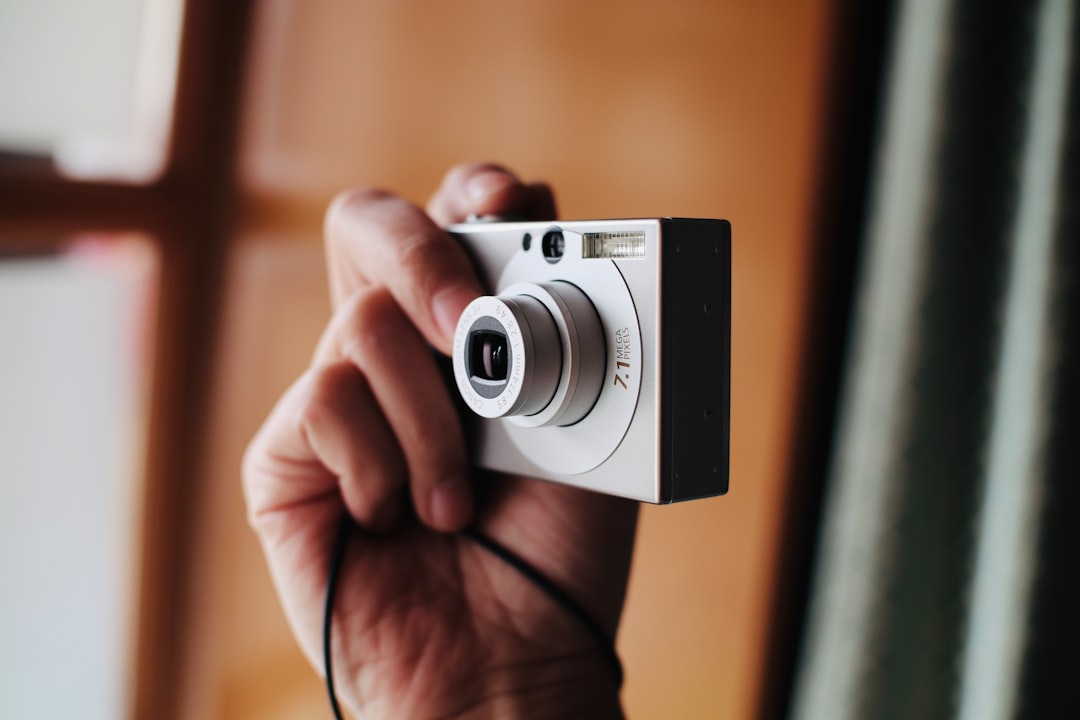
Find a Cheap Digital Camera That Is Actually Worth Buying
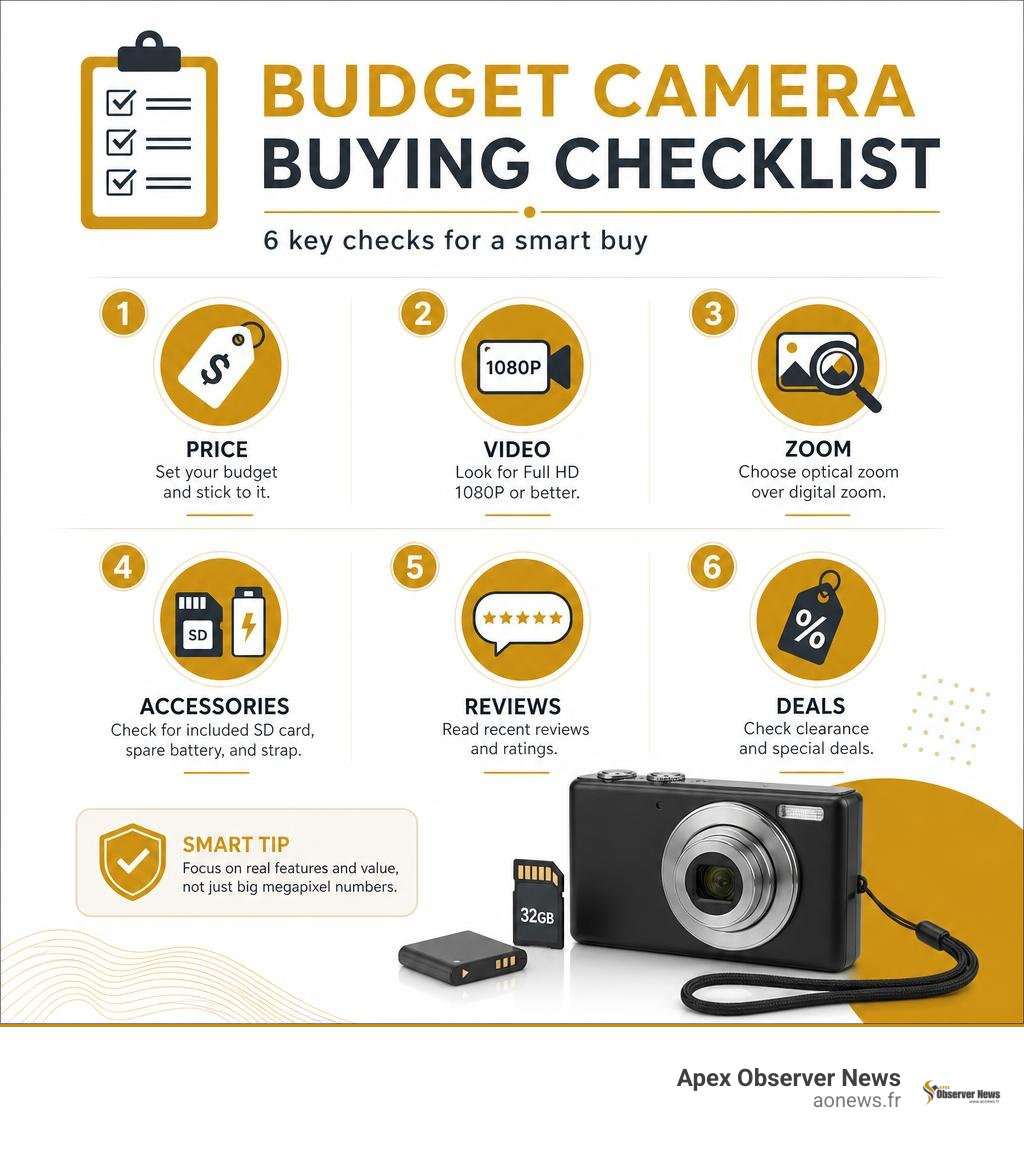
The best way to find a cheap digital camera is to set a firm budget, choose your main use, and compare more than the megapixel number. Under $50, look for a simple point-and-shoot with Full HD 1080P video, a rechargeable battery, image stabilization or anti-shake, and a memory card included. For kids, large buttons, a wrist strap, and a tough lightweight body matter more than high-resolution claims.
Start with these checks:
- Choose a price range: $25 to $50 is the core budget tier, while $50 to $100 opens up more 4K and flip-screen options.
- Prioritize real features: Optical zoom is better than digital zoom, and a bundled SD card or spare battery can save money.
- Read recent reviews: A high rating backed by many reviews is more useful than a flashy product listing.
- Watch clearance pages: Retailer clearance deals can bring models such as waterproof compact cameras below $30.
Budget cameras can be great for school projects, travel snapshots, kids, and phone-free fun. But ultra-cheap, unknown models may use inflated megapixel claims, weak batteries, and low-quality digital zoom, so treat huge specs at tiny prices with care.
I am Faisal S. Chughtai, founder of ActiveX, with experience in technology, digital marketing, and helping people assess practical gadget value. In this cheap digital camera guide, I will show you how to compare deals, features, and warning signs before you buy.
Cheap digital camera terms explained:
Step 1: Determine Your Photography Needs and Target Use Case
Selecting the right device begins with understanding how you plan to use it every day. The modern marketplace offers several distinct form factors within the entry-level category, ranging from retro snapshot point-and-shoots to creative instant-print hybrids and travel-ready vlogging tools.

When we look at how users interact with modern gear, defining your primary environment helps eliminate overpaying for unused features. A student documenting campus events needs quick boot times and pocketable dimensions, whereas a creator making video content requires front-facing monitoring and clear audio.
Why a Cheap Digital Camera Beats Smartphone Photography for Beginners
While modern smartphones boast impressive computational photography, dedicated budget cameras offer tangible operational benefits that phones simply cannot replicate. Operating a dedicated tool separates the creative process from notifications, incoming calls, and social media distractions.
Key advantages include:
- Dedicated Hardware Ergonomics: Physical shutter buttons provide tactile feedback, allowing beginner photographers to practice half-press autofocusing techniques.
- Natural Xenon-Style Flash: Built-in flashes on compact cameras create authentic fill lighting that does not wash out skin tones the way tiny phone LED diodes often do.
- Optical Zoom Mechanics: Even basic optical zoom delivers authentic focal compression without the digital pixelation that plagues budget smartphone cameras.
- Creative Focus: Without apps competing for attention, beginners spend more time understanding framing, light angles, and timing. Exploring 10 emerging new tech technologies to know shows how specialized hardware continues to thrive alongside software advancements.
Matching Form Factors to Kids, Students, and Casual Shooters
Different user groups require specific hardware priorities:
- Young Children: Prioritize drop resistance, rubberized outer shells, simplified two-button operation, and secure lanyard loops. Instant-print thermal cameras are exceptionally popular here because they offer physical gratification without expensive ink cartridges.
- Students and Teens: Require lightweight bodies that slip easily into backpacks, fast USB-C file transfer, and creative color filters that evoke the trendy late-1990s and Y2K aesthetic without heavy post-processing.
- Casual Travelers: Benefit from compact dimensions, robust battery longevity, and straightforward menu navigation. Intuitive UI and UX design ensures you capture fleeting moments without digging through complex sub-menus.
Step 2: Evaluate Core Specifications and Hardware Features
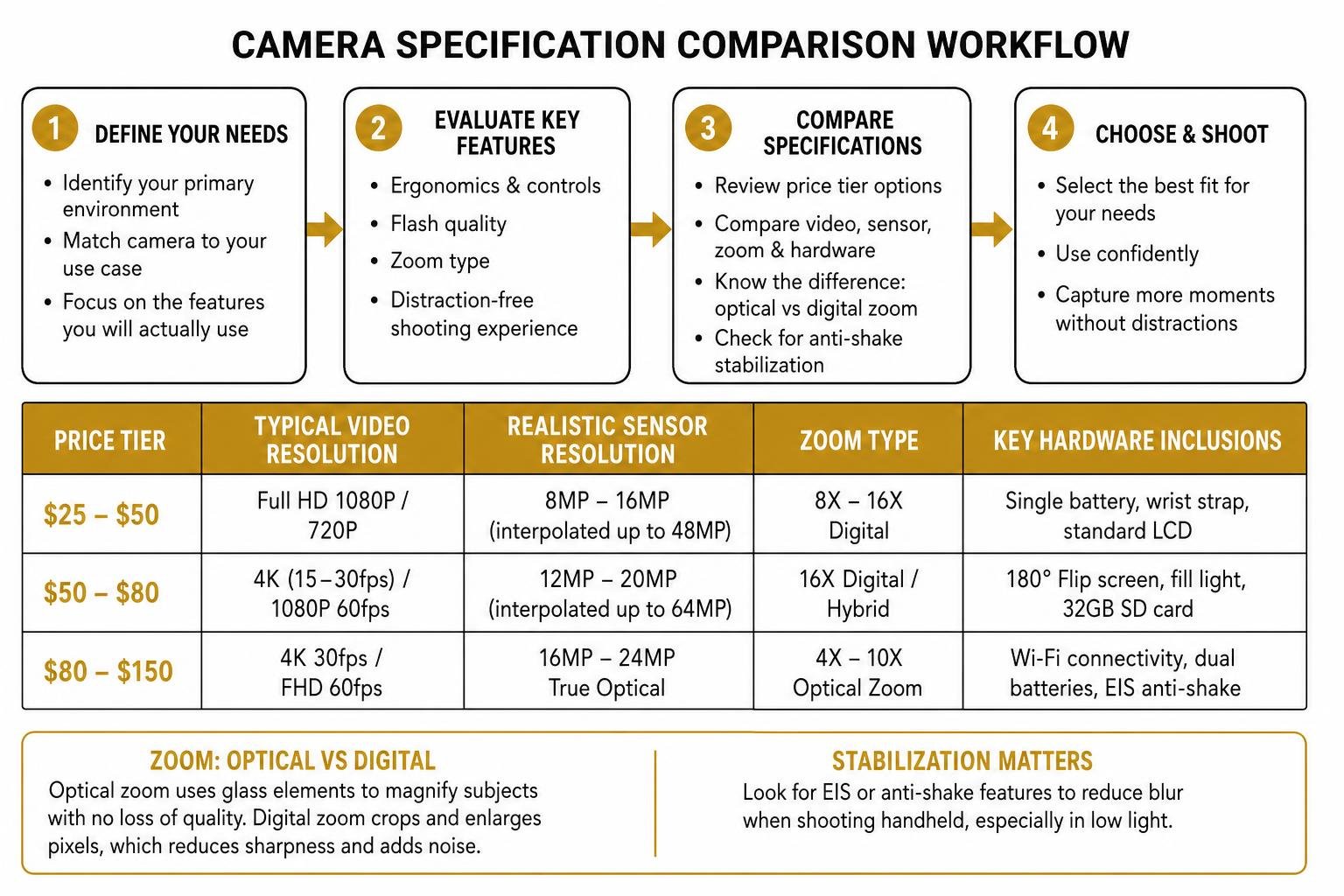
Navigating technical specifications requires separating practical hardware capabilities from aggressive marketing claims. Below is a breakdown of what to realistically expect across budget price points:
| Price Tier | Typical Video Resolution | Realistic Sensor Resolution | Zoom Type | Key Hardware Inclusions |
|---|---|---|---|---|
| $25 – $50 | Full HD 1080P / 720P | 8MP – 16MP (interpolated up to 48MP) | 8X – 16X Digital | Single battery, wrist strap, standard LCD |
| $50 – $80 | 4K (15–30fps) / 1080P 60fps | 12MP – 20MP (interpolated up to 64MP) | 16X Digital / Hybrid | 180° Flip screen, fill light, 32GB SD card |
| $80 – $150 | 4K 30fps / FHD 60fps | 16MP – 24MP True Optical | 4X – 10X Optical Zoom | Wi-Fi connectivity, dual batteries, EIS anti-shake |
Sensor Resolution, Zoom Capabilities, and Anti-Shake Tech
One common trap in budget electronics is “interpolated resolution,” where software artificially enlarges a small 8-megapixel sensor file to market it as 48MP or 64MP. For general sharing and small prints, an actual 8MP to 16MP native capture is more than adequate.
When evaluating zoom, distinguish between optical and digital options. Optical zoom physically shifts internal glass elements to magnify distant subjects while preserving sharpness, whereas digital zoom merely crops and enlarges the center pixels, which introduces noise. Look for electronic image stabilization (EIS) or built-in anti-shake modes to reduce blur during handheld shooting in lower light.
Flip Screens, Battery Longevity, and Bundled Accessories
Hardware convenience plays a major role in overall satisfaction. A 180-degree articulating or flip-up display allows vloggers and solo travelers to frame selfies perfectly without guesswork.
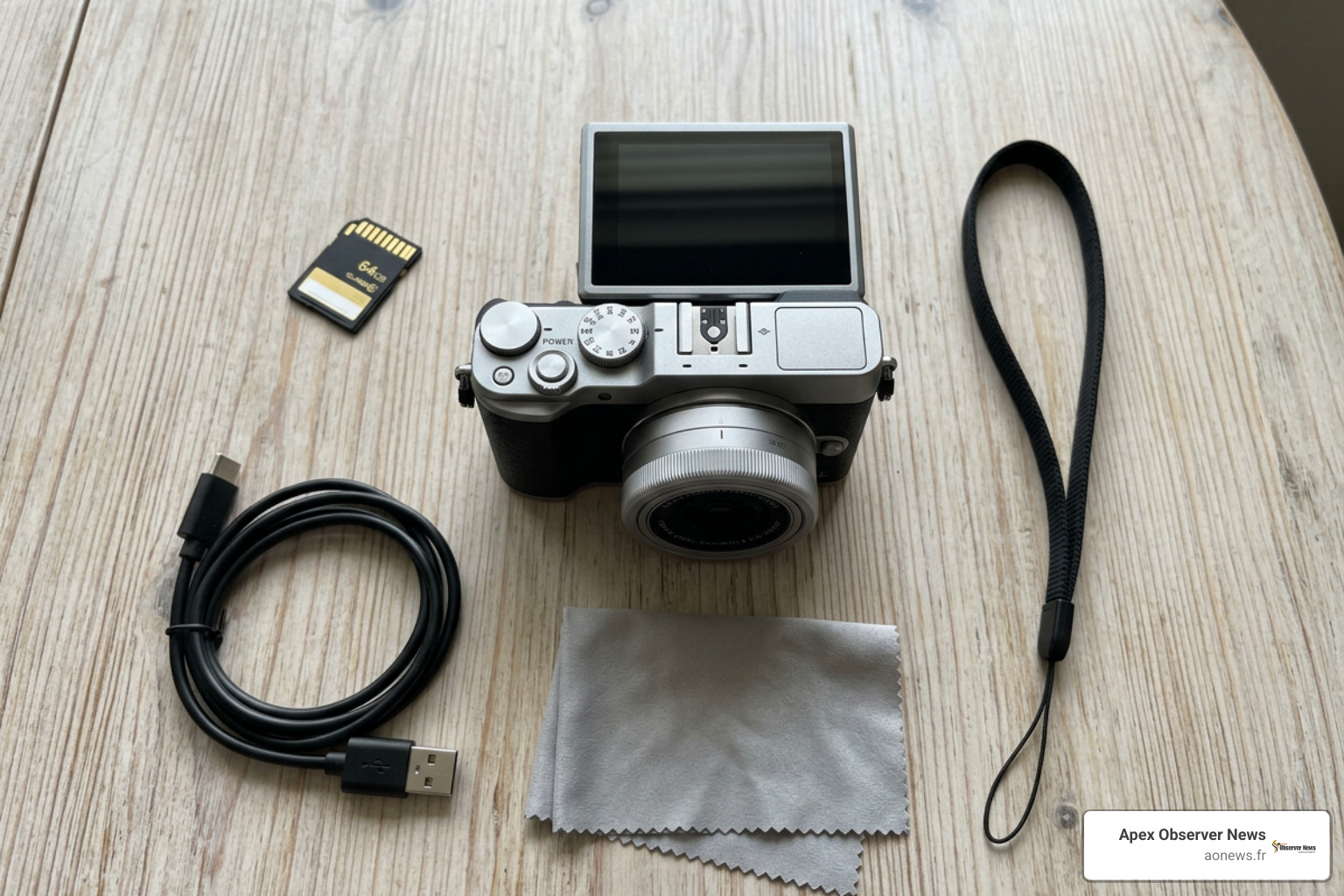
Modern budget units increasingly feature standardized USB-C charging ports, enabling quick top-ups using standard power banks. Many packages, such as the 8XIST® Digital Camera , emphasize complete out-of-the-box convenience with built-in creative filters, rechargeable batteries, and lanyard accessories designed for immediate everyday use.
How to Choose the Right Cheap Digital Camera for Your Needs
Finding optimal balance involves matching your specific spending ceiling with practical everyday usability. Employing smart 5 amazing new technology hacks when setting up and organizing your media workflow can streamline transferring photos from memory cards to cloud storage.
Best Cheap Digital Camera Options Under $50
For shoppers seeking entry-level functionality without overspending, the sub-$50 category features abundant point-and-shoot solutions. Browsing the $25 to $50 – digital cameras / camera & photo: electronics storefront reveals models offering reliable 1080P Full HD recording, 16X digital zoom, and straightforward automated scene detection.
Clearance opportunities occasionally yield rugged options, such as the Polaroid 16MP Waterproof Digital Camera, discounted to $27.99 from its typical $49.99 retail price. Similarly, dedicated children’s cameras equipped with 1080P recording, bundled 32GB storage cards, and impact-resistant frames frequently retail between $28.78 and $29.99, serving as ideal introductory gifts.
Top Budget Vlogging and Travel Picks Under $100
Stepping into the $50 to $100 segment delivers significant upgrades in video fidelity, creative lighting, and connectivity:
- Flip-Screen 4K Compacts: The W&O Q5 4K Digital Camera, 180° Flip Screen Point and Shoot Camera with Ring Light, SD Card, White – Walmart.com provides a front fill ring light and flip monitor for under $60, making it an accessible starter package for social media content.
- High-Resolution Beginner Bundles: Options like the 4K 64MP Shoot Digital Camera for Kids, Teens, Beginners, Autofocus Point-and-Shoot Camera with 2.4″ 180° Flip Screen, 16X Digital Zoom, Anti-Shake, USB-C, Selfie Vlogging Camera for Travel, Gifts – Walmart.com combine 64MP output with autofocus tracking and USB-C fast charging.
- Connected Creator Kits: Advanced entry models, including the 64MP Digital Camera for Photography, 2026 New WiFi 4K Vlog Video Camera for YouTube with 180° flip Screen, Autofocus Anti-Shake, 16X Zoom, Small Travel Camera, 32 GB TF Card, 2 Batteries, White – Newegg.com and the 4K Digital Camera with WiFi 64MP Autofocus Vlogging Camera Compact Travel Cameras for Photography, 3″ 180° Flip Screen 16X Zoom Flash Anti-Shake, Point and Shoot Camera for Beginner, Easy to Use – Newegg.com , integrate seamless Wi-Fi pairing for remote shutter control and rapid mobile photo transfers.
- Nostalgic Everyday Carry: Enthusiasts searching for retro film aesthetics often turn to curated resources such as 8 cheap, trendy digital cameras for 90s-looking photos … or check guides on the 10 best every day carry tiny cameras for all budgets! for portable inspiration. You can also explore options like the Kodak PIXPRO FZ45 Digital Camera when shopping major retail channels.
Essential items to keep in your travel vlogging kit include:
- High-speed Class 10 / U3 micro SD card.
- Two rechargeable lithium-ion battery packs.
- Compact tabletop tripod or flexible grip.
- Microfiber lens cleaning cloth.
- Protective padded carry pouch.
Step 3: Spot Retail Deals, Clearance Bargains, and Avoid Red Flags
Finding substantial savings requires combining smart retailer filtering with vigilance against subpar hardware clones.
Should You Invest in ASTS Stock Right Now
Navigating Clearance Sales and Low-to-High Sorting
Big-box retailers frequently adjust seasonal stock, creating steep clearance opportunities. Major electronics platforms often catalog thousands of options under budget categories, with pricing shifting rapidly during promotional events. When searching major retailers:
- Apply low-to-high price filters while enforcing a minimum 4.0-star customer rating threshold.
- Check open-box and manufacturer-refurbished categories for verified quality at 30% to 50% discounts.
- Look for instant digital clip-coupons on online marketplaces, which frequently deduct $10 to $20 at checkout on sub-$80 models.
Red Flags to Avoid When Buying Ultra-Low-Cost Digicams
To ensure your purchase delivers lasting value, watch out for these common product pitfalls:
- Disposable AAA Battery Configurations: Units powered exclusively by standard disposable AAA cells often suffer from rapid battery drain (sometimes under 150 shots) and weak flash recharge times. Choose rechargeable lithium-ion models whenever possible.
- Exaggerated Megapixel Claims on Tiny Lenses: Marketing titles boasting 64MP or 48MP on sub-$30 hardware are almost always using basic VGA or 8MP sensors with software upscaling.
- Flimsy Battery Compartment Latches: Thin plastic clips can break easily, preventing the battery contacts from securing properly.
- Uncertified Memory Cards: Always check that bundled memory cards are branded and rated for continuous video write speeds to avoid corrupted media files.
Frequently Asked Questions About Budget Cameras
What is the best cheap camera under $50?
The most reliable options under $50 are compact point-and-shoots featuring native 1080P Full HD video, electronic image stabilization, a rechargeable lithium-ion battery, and a bundled 32GB memory card. Look for models backed by several hundred verified customer reviews with consistent ratings above 4.1 stars.
Are sub-$100 cameras good enough for YouTube and vlogging?
Yes, provided you select models equipped with 4K or 1080P 60fps recording, a 180-degree flip screen for visual framing, and front-facing fill lights. While they lack the dynamic range of professional studio mirrorless bodies, they offer an accessible, distraction-free setup for beginner creators and travel documentation.
What accessories should always be included with an affordable point-and-shoot?
A solid starter package should ideally bundle a rechargeable lithium-ion battery (or two), a USB-C charging cable, a safety wrist strap, a protective travel pouch, and a compatible 32GB or 64GB micro SD card.
Conclusion
Finding an affordable, reliable digital camera comes down to identifying your real-world usage, checking true sensor and battery specifications, and shopping smart through verified reviews and clearance deals. Whether you are buying a durable first camera for a child, capturing nostalgic snapshots on vacation, or launching a vlog without overspending, dependable low-cost options are widely accessible. For more in-depth buying guides and comprehensive gadget evaluations, explore our full Apex Observer News reviews hub.
Pakistan 5G Launch 2026: Everything You Need to Know
