

Understanding the Core Differences in UI and UX Design
To truly grasp ui and ux design, we need to look past the slash that often connects them. While they are inextricably linked, they represent different layers of the product development process.
UX design is the analytical side of the house. It is about the “why” and the “how” of a product. If a user is trying to book a flight, the UX designer is concerned with how many steps it takes, whether the flow is logical, and if the user feels confident throughout the process. It is fundamentally about problem-solving.
On the other hand, UI design is the creative and interactive layer. It focuses on the “what” the user sees and touches. It involves the aesthetic choices—the specific shade of blue for a “Confirm” button, the spacing between lines of text, and the animation that occurs when a menu slides open. UI is the bridge that allows a user to interact with the experience the UX designer mapped out.
| Feature | UI Design (User Interface) | UX Design (User Experience) |
|---|---|---|
| Primary Focus | Visuals and Interactivity | Logic and Feeling |
| Deliverables | High-fidelity mockups, style guides | Personas, user flows, site maps |
| Key Question | Is it beautiful and easy to navigate? | Does it solve the user’s problem? |
| Medium | Digital screens only | Digital and physical environments |
As Steven Paul Winkelstein notes in his piece on What’s the difference between UX and UI design?, people often interchange these terms like “street” and “road,” but their relationship is much more specific. To build a truly great product, we must also understand how to define design principles that govern both sides of this coin.
The Hierarchy of Experience
A helpful way to visualize this relationship is through a geometric analogy: UI is a square, and UX is a rectangle. All squares are rectangles, but not all rectangles are squares. All UI is a part of the user experience, but UX encompasses much more than just the interface.
UX covers the holistic experience, including things the user never “sees,” such as loading speeds, customer support interactions, and the underlying information architecture. If you want to dive deeper into how these elements manifest in different projects, you can explore UX design categories to see how varied the field can be.
Why Distinguishing the Terms Matters
In the professional world, saying “UI/UX” can sometimes be a red flag. To seasoned practitioners, it can signal that a company values visuals over functionality or doesn’t fully understand the design process. We advocate for a “UX-first” approach.
Research and requirements validation must happen before a single pixel is colored. When we prioritize visuals over user needs, we risk building a beautiful product that nobody knows how to use. Staying informed about 9 things in the design industry helps us keep these roles distinct and effective.
The UX Design Process: From Research to Prototype
The UX design process is a structured journey aimed at reducing uncertainty. We don’t just guess what users want; we find out. This process generally follows five key stages:
- Define the Problem: We start by creating problem statements. What pain point are we solving?
- Conduct Research: This is where we gather data to back up our assumptions.
- Design Prototypes: We build the “skeleton” of the product.
- Test and Gather Feedback: We put the skeleton in front of real people.
- Iterate and Refine: We fix what broke and try again.
A crucial part of the early stages is creating buyer personas, which are detailed descriptions of our target users. By understanding their goals and frustrations, we can map out intuitive user flows. For those interested in how these processes are evolving, you can learn more about design trends that are shaping the modern web.
The Role of Research in UI and UX Design
Research is the bedrock of ui and ux design. Without it, we are just making art, not products. We use a mix of qualitative methods (like user interviews and observations) and quantitative methods (like surveys and heatmaps).
Interestingly, AI is becoming a massive assistant in this field. According to Figma’s 2025 AI report, 40% of designers and 29% of developers are now using AI to analyze user data and spot patterns that might be missed by the human eye. This data-driven insight allows us to make objective decisions rather than relying on the “gut feeling” of a creative director.
Testing and Iteration
We often say that releasing a UI without testing it is like a chef serving a dish without tasting it. Usability testing involves watching a user try to complete a task. If they get stuck on the “Sign Up” form, we know the UX is failing.
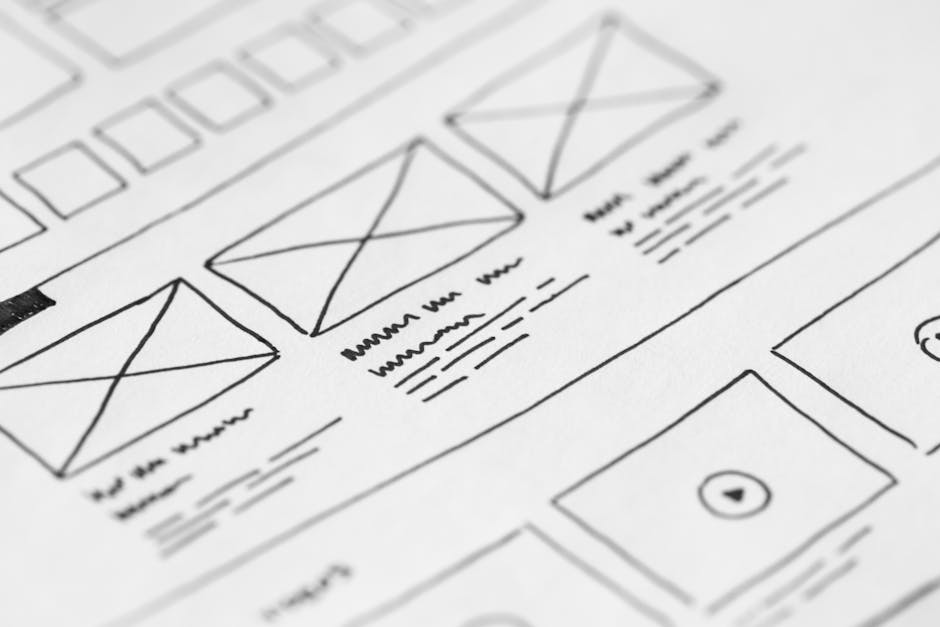
We start with low-fidelity wireframes—simple black-and-white sketches that focus on placement and hierarchy. Once the logic is sound, we move to high-fidelity prototypes that look and act like the finished product. This feedback loop continues even after launch, as we monitor analytics and social media to see how the product performs in the wild.
Key Principles of Effective UI and UX Design

Great ui and ux design follows established “laws” of human psychology. One of the most important is visual hierarchy. By using size, color, and positioning, we guide the user’s eye to the most important information first. For example, a “Buy Now” button should be more prominent than the “Terms and Conditions” link.
Consistency is another pillar. If your “Submit” button is green on the home page, it shouldn’t be red on the contact page. This reduces the user’s cognitive load—the amount of mental effort required to use the product. We also keep a close eye on WCAG accessibility guidelines to ensure our designs work for everyone, including those with visual impairments. If you use platforms like WordPress, it’s worth checking out how this year in WordPress design is implementing these core principles.
The Four C’s of Interface Design
To create a seamless interface, we focus on the four C’s:
- Control: Users should feel they are in charge. Features like “Undo” buttons are vital.
- Consistency: Elements should behave the same way across the entire application.
- Comfortability: The design should feel familiar and not overwhelm the user.
- Cognitive Load: We aim to minimize the “brain power” needed to complete a task by removing distractions.
Designing for Accessibility and Responsiveness
Accessibility isn’t just a “nice to have”—it’s a requirement for modern digital products. This includes ensuring high contrast ratios for text and making sure the interface is compatible with screen readers.
Furthermore, we design responsively. Your app must look and function perfectly whether it’s being viewed on a 30-inch monitor or a 5-inch smartphone screen. This “mobile-first” mentality is a staple for anyone working with a Design WordPress tag, where themes must adapt to endless device types.
Tools and Skills for a Career in UI and UX Design
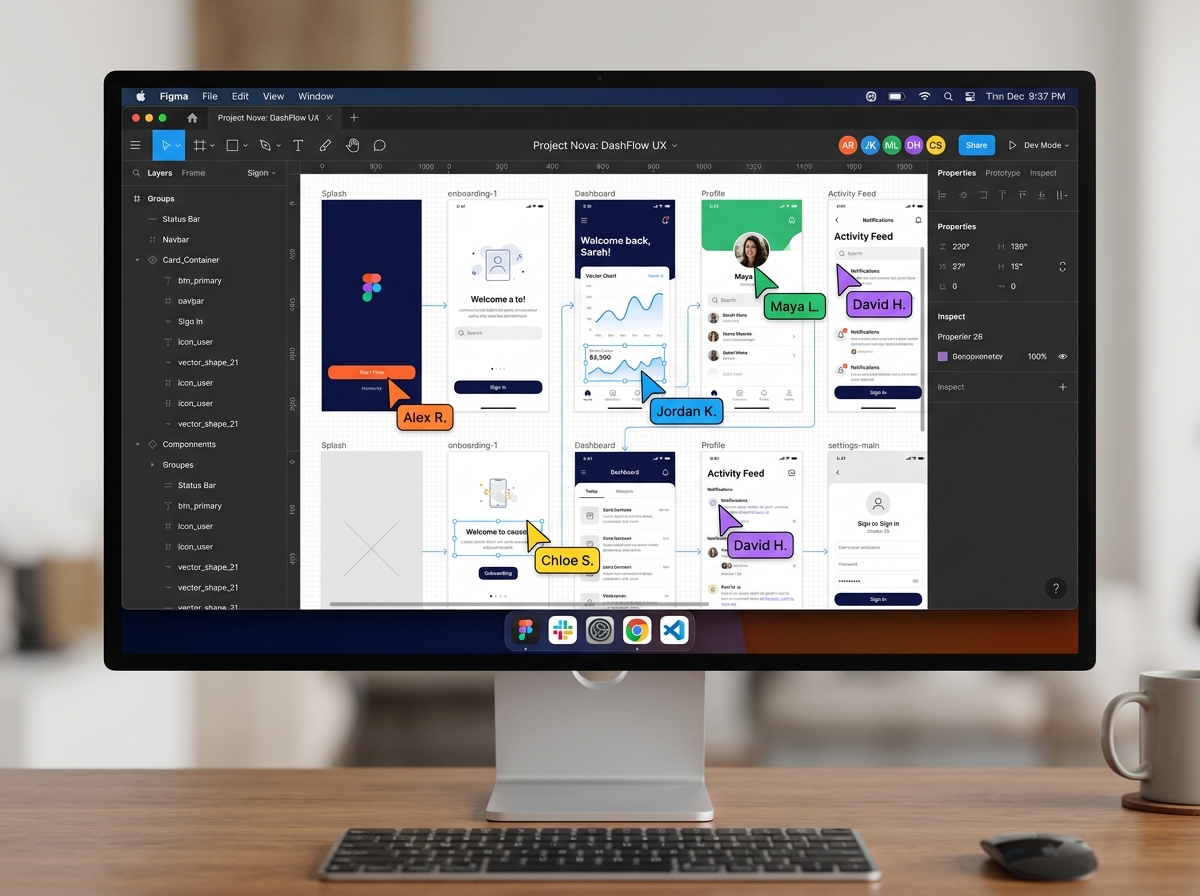
Becoming a designer requires a mix of hard and soft skills. On the soft side, empathy is number one. You have to be able to step into the user’s shoes. On the hard side, you need to master prototyping and wireframing.
The industry standard tool for most teams today is Figma. It allows for real-time collaboration, meaning a UI designer and a UX researcher can work on the same file simultaneously. You can explore Figma for UX design to see its specific features like branching and vector networks. For those who prefer the Adobe ecosystem, our in-depth guide to Adobe Creative Cloud covers tools like Adobe XD and Photoshop.
Essential Tools for UI and UX Design
- Figma: The king of collaborative design and prototyping.
- Adobe XD: A powerful tool for vector-based design and voice prototyping.
- Sketch: A long-time favorite for Mac-based UI designers.
- Miro: Excellent for the early UX stages like brainstorming and user journey mapping.
If you are just starting, an Introduction to UI and UX Design course is a fantastic way to learn the basics of Figma while building your first portfolio project.
Salary Expectations and Career Paths
The financial outlook for this career is very bright. As mentioned earlier, median salaries hover around the six-figure mark.
- Junior UI/UX Designers: Often start around $67,000.
- Senior Designers: Can easily earn between $102,000 and $126,000.
- UX Unicorns: These are rare designers who excel at UX research, UI design, and front-end coding. They are highly sought after by startups.
According to Glassdoor salary data, these figures can fluctuate based on location and industry, but the general trend is upward as more businesses realize that good design equals better profits.
Real-World Impact: Business Success and Misconceptions
Good ui and ux design isn’t just about looking pretty; it’s a business strategy. It directly impacts conversion rates (how many people buy something) and user retention (how many people come back).
In competitive industries like iGaming, companies are using “Motivational Engineering”—a fancy term for gamification—to keep users engaged. By adding features like “City Builders” or “Leaderboards” to a standard casino app, they’ve seen a 65% increase in average revenue. You can read more about these iGaming gamification trends to see how design drives engagement. For web creators, using tools like Elementor can help implement these complex designs easily; check our more info about Elementor section for tips.
Common Misconceptions
- “UI is just art”: UI is functional. Every choice is made to help the user complete a task, not just to look nice.
- “UX is only digital”: UX started with physical products (like the ergonomics of a chair).
- “You need to code”: While knowing HTML/CSS helps you talk to developers, it is not a requirement for most design roles.
- “Invisibility”: Great design is often invisible. When an app works perfectly, you don’t notice the design. You only notice it when it’s broken.
Case Studies in Good vs Poor Design
Consider a banking app. If it has a beautiful, modern interface (Good UI) but takes ten clicks to transfer money and crashes frequently (Poor UX), users will hate it. Conversely, a website might have a very dated look (Poor UI) but be so logically organized that you find what you need in seconds (Good UX).
The goal is to answer “Yes” to the seven user experience questions: Is it useful, usable, desirable, findable, accessible, credible, and valuable?
Frequently Asked Questions about UI and UX Design
Does UI design require coding skills?
No, UI design focuses on the visual and interactive elements. However, having a basic understanding of how developers build these components (using HTML, CSS, and JavaScript) makes you a much better collaborator and ensures your designs are actually buildable.
What is the difference between a UI designer and a graphic designer?
Graphic designers focus on static visuals and branding (logos, posters, layouts). UI designers focus on interactive digital interfaces. A UI designer has to worry about how a button behaves when clicked, how a site looks on a phone versus a desktop, and accessibility standards—things a graphic designer usually doesn’t have to consider.
How do UI and UX designers work together in a team?
In a typical workflow, the UX designer starts with research and produces low-fidelity wireframes (the blueprints). The UI designer then takes those blueprints and applies the “skin”—the colors, fonts, and interactive elements. They collaborate constantly to ensure the final product is both beautiful and functional.
Conclusion
At Apex Observer News, we see daily how ui and ux design shapes the tech headlines we aggregate. Whether it’s a major Apple update or a new feature in a popular game, the success of these products hinges on the principles we’ve discussed today.
If you’re looking to start your own career, focus on building a portfolio that shows your process, not just your finished results. Employers want to see how you solved a problem, not just that you can make a pretty button. Network with other designers, stay curious about human behavior, and never stop testing your assumptions. Ready to dive in? START YOUR DESIGN JOURNEY today and see where it takes you.
