

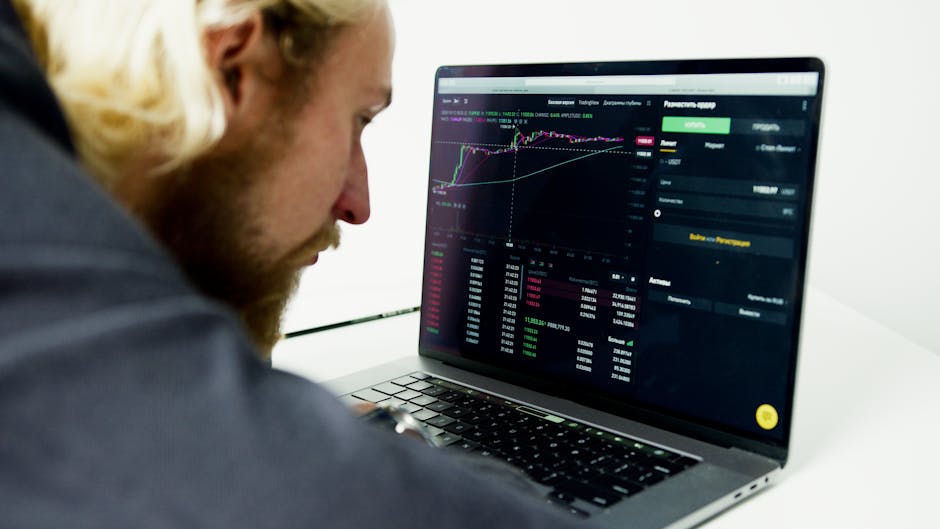
What Is Stock Broker Software and Why Does It Matter?
Stock broker software is the platform you use to buy and sell investments like stocks, ETFs, options, futures, and more. Here’s a quick look at the top options available today:
| Platform | Best For | Type | Cost |
|---|---|---|---|
| thinkorswim (Schwab) | All levels | Desktop, Mobile, Web | Free |
| Trader Workstation (IBKR) | Advanced traders | Desktop | Free |
| IBKR Desktop | Beginner to intermediate | Desktop | Free |
| Fidelity Trader+ | Active traders | Desktop, Mobile, Web | Free |
| TC2000 | Charting & scanning | Desktop, Mobile, Web | Subscription |
| FIS Trading Suite | Institutional brokers | Enterprise | Custom pricing |
Most major platforms today are free to download and use — you pay through trade commissions or spreads, not software fees.
Picking the right platform depends on three things:
- Your experience level (beginner, intermediate, or advanced)
- The assets you want to trade (stocks, options, futures, forex)
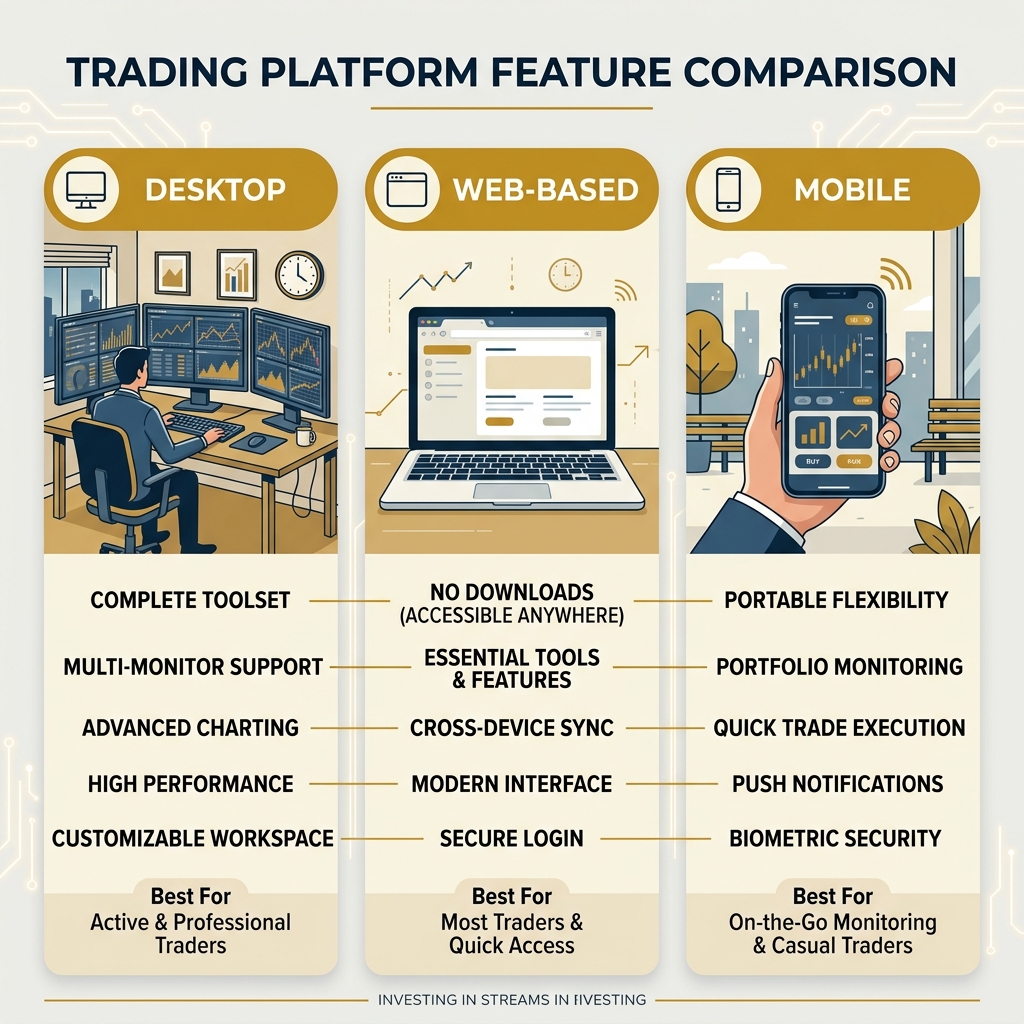
- Whether you prefer desktop power, mobile flexibility, or web convenience
Whether you’re a casual investor checking your portfolio on a lunch break or an active trader running multi-monitor setups at home, there’s a platform built for you. The major brokers — Interactive Brokers, Charles Schwab, and Fidelity — each offer multiple platform tiers, so you’re not locked into one experience as your skills grow.
I’m Faisal S. Chughtai, founder of ActiveX, with hands-on experience across app and web development, digital marketing, and the technology that powers modern stock broker software. In this guide, I’ll break down exactly how these platforms compare so you can make a confident, informed choice.
Quick stock broker software terms:
Comparing Top Stock Broker Software Platforms
When we dive into stock broker software, we aren’t just looking at a digital “buy” button. We’re looking at a cockpit. For some, that cockpit needs to look like a space shuttle (Trader Workstation), while others prefer something a bit more like a sleek electric car (thinkorswim).
The “big three” in the retail space—Interactive Brokers (IBKR), Charles Schwab, and Fidelity—have spent millions of dollars refining their software to cater to different types of traders. According to expert reviews like NerdWallet, Fidelity currently holds a 5.0/5 rating for its overall offering, while IBKR Lite also secures a 5.0/5 for advanced stock trading.
Here is how the heavy hitters stack up:
| Feature | thinkorswim (Schwab) | Trader Workstation (IBKR) | Fidelity Trader+ |
|---|---|---|---|
| Primary Audience | Intermediate to Advanced | Professional/Institutional | Active Retail Traders |
| Ease of Use | Moderate | Steep Learning Curve | User-Friendly |
| Charting | Industry-leading | Technical/Dense | Modern & Clean |
| Market Access | US & Select Global | 170+ Global Markets | Primarily US |
| Paper Trading | Yes (paperMoney) | Yes | No (Legacy only) |
If you are still trying to figure out which massive brokerage should you actually use, it often comes down to the software’s “vibe” and your specific goals. If you’re just starting, check out the ultimate guide to picking your first stock market broker to ensure you don’t get overwhelmed by features you don’t need yet.
Advanced Stock Broker Software for Desktop and API
For those of us who treat trading as more than just a hobby, desktop software is where the real work happens. These platforms are built for speed, stability, and “screen real estate.”
Trader Workstation (TWS) from Interactive Brokers is the “grandaddy” of professional stock broker software. It was designed by market makers and supports trading in stocks, options, futures, currencies, and bonds across over 170 markets. It isn’t exactly “pretty,” but it is incredibly powerful. It offers over 100 order types and algos, including bracket, OCO, and pair hedging.
thinkorswim Desktop (now under Charles Schwab) is widely considered the gold standard for retail technical analysis. It allows for 24/5 trading of over 1,100 stocks and ETFs. Its scripting language, thinkScript, lets advanced users build their own indicators and strategies.
Fidelity Trader+ Desktop is the newest kid on the block, engineered for speed and precision. One of its standout features is the ability to support layouts across up to 4 monitors. It also allows for up to 8 groups of linked tools, meaning if you change a ticker in one window, your charts, news, and level 2 data all update simultaneously across your screens.
For the tech-savvy, many of these brokers offer IBKR Trading Platforms with API access. This allows you to build your own custom trading front-end or run automated algorithmic trading scripts directly through their servers.
Mobile and Web-Based Stock Broker Software Solutions
We live in a world where we expect to manage our money from the palm of our hand. Fortunately, stock broker software has evolved to keep up.
- IBKR Mobile & GlobalTrader: IBKR Mobile provides advanced order types on the go, while GlobalTrader is a simplified version that allows for fractional share trading starting at just $1.
- thinkorswim Mobile: This is arguably the most powerful mobile app in the business. It mirrors almost everything you can do on the desktop version, including complex multi-leg option trades and advanced charting.
- Fidelity Trader+ Web & Mobile: Fidelity has focused on “syncing” the experience. Your watchlists and preferences carry over seamlessly between your phone and your browser. The mobile app even has a “compact view” that can display 14+ rows of data on a single screen—perfect for those of us who want to see everything at once.
If you are new to the scene, our online trading service 101 guide can help you navigate these digital interfaces without getting lost.
Key Features and Advanced Trading Capabilities
When we evaluate stock broker software, we look for tools that give us an edge. It’s not just about seeing a price; it’s about understanding the “why” behind the move.
Charting and Indicators
Modern platforms offer hundreds of technical indicators—from simple moving averages to complex Bollinger Bands and VWAP. TC2000, for example, is famous for its “EasyScan” feature, which can scan millions of data points on-the-fly to find stocks meeting your specific criteria. It was even rated as the Best Interactive Charting Stock Screener in 2024.
Whether you are finding the best stock broker platform for your portfolio or just learning the ropes, having a platform that offers clear, customizable charts is non-negotiable. You can learn more about these tools in our article on everything you need to know about best trading platform.
Risk Management and Algorithmic Trading
In professional trading, managing risk is more important than picking winners.
- Risk Navigator (IBKR): This tool provides a real-time, multi-asset risk exposure assessment. It allows you to see “what-if” scenarios, such as how a 10% market drop would affect your specific portfolio margin.
- Model Navigator: Used for option pricing and understanding the rate of price changes.
- Low-Latency Execution: For fast trades and low fees for intraday pros, execution speed is king. Brokers like IBKR use “BestX” technology to seek the best price improvement across multiple venues.
- Order Types: We aren’t just talking about “Market” and “Limit” orders anymore. Advanced software supports 90+ order types, including algorithmic trading that can slice a large order into smaller pieces to avoid moving the market price.
Education and Paper Trading Simulators
We always tell our readers: never trade real money until you’ve practiced. Most top-tier stock broker software includes a “Paper Trading” or “Demo” mode.
- thinkorswim paperMoney: This gives you a virtual account (often starting with $100,000) to trade in a live market simulation. It’s a great way to learn the software without the stress of losing your shirt.
- Webull Paper Trading: Offers a whopping $1 million in virtual play money to test out strategies.
- Traders’ Academy (IBKR): Interactive Brokers offers free, in-depth courses to help you master their complex software. You can even Paper Trading risk-free by opening a simulated account.
Specialized Tools for Options and Global Markets
For those who venture beyond standard stocks, specialized stock broker software features become essential.
Options Trading
Trading options requires a different set of tools. Platforms like TC2000 offer patent-pending “Option Profit/Loss Zones” that visually shade the money-making areas on your chart. Fidelity Trader+ and thinkorswim provide “Option Chains” that allow you to visualize Greeks (Delta, Gamma, etc.) and execute multi-leg strategies like Iron Condors with a single click.
Global Market Access and Multi-Currency Support
Interactive Brokers is the undisputed king here. Through their IBKR Desktop and TWS platforms, you can trade on over 170 markets in 33 countries.
Key global stats:
- 28 Currencies: You can hold and trade in multiple currencies with automated conversions.
- Overnight Trading: Access 24/5 trading for over 1,100 US stocks and ETFs.
- Unified Account: Trade stocks, options, futures, bonds, and funds worldwide from one screen.
You can View Markets IBKR Trading Platforms to see the full scope of what’s available, including newer “Forecast Contracts” for political and economic events.
Institutional vs Retail Trading Suites
While most of us use retail platforms, there is an entire world of enterprise-grade software. The FIS Trading Suite is a prime example. Unlike the retail-focused thinkorswim, FIS is a modular system designed for banks and large brokerage firms. It provides high-performance gateways to more than 150 markets and focuses heavily on tax reporting, compliance, and pre-trade risk management.
Choosing the Right Platform for Your Trading Style
Choosing stock broker software is like buying a pair of shoes—it has to fit your specific “stride.”
- The Beginner: Look for simplicity. Fidelity’s standard web interface or IBKR GlobalTrader are great starting points. They offer fractional shares and plenty of educational resources.
- The Chartist: If you live and breathe technical analysis, thinkorswim or a subscription to TC2000 is likely your best bet.
- The Global Macro Trader: If you want to buy Japanese stocks in the morning and trade London futures in the afternoon, Interactive Brokers is the clear choice.
- The Day Trader: You need speed and multi-monitor support. Fidelity Trader+ or IBKR’s TWS are built for this high-intensity environment.
As we noted in the 7 best online brokerage companies compared, it is actually okay to have more than one account. Many traders use one broker for their long-term retirement “buy and hold” stocks and another with more advanced software for their active day trading.
Commissions, Fees, and Pricing Models
The “price” of stock broker software has largely dropped to zero for retail users, but there are still costs to watch out for:
- Commissions: Most major US brokers (Schwab, Fidelity, E*TRADE) offer $0 commissions on online US stock and ETF trades.
- Options Fees: These usually range from $0.50 to $0.65 per contract. However, some platforms like Public offer rebates on options trades.
- Margin Rates: If you borrow money to trade, rates vary wildly. IBKR is known for having some of the lowest margin rates in the industry (as low as 4.14% for some tiers), while others may charge significantly more.
- Data Feeds: While the software is free, “real-time” professional data feeds for certain international markets or Level 2 data may require a monthly subscription fee.
To avoid surprises, read our guide on how to find the best low commission stock broker without getting fleeced.
Frequently Asked Questions
Is stock broker software free to use?
Yes, for most retail investors, platforms provided by major brokers like Charles Schwab (thinkorswim), Fidelity (Trader+), and Interactive Brokers (TWS) are free to download and use as long as you have a funded account. Some specialized third-party software like TC2000 requires a monthly subscription.
What is the best platform for beginner traders?
For beginners, we recommend platforms that balance power with a clean interface. Fidelity Trader+ Web and IBKR Desktop are excellent because they allow you to start with a simple view and add advanced tools as you become more comfortable.
Can I trade global markets from a single software interface?
Absolutely. Interactive Brokers is the leader in this category, offering access to 170+ markets worldwide. You can trade a stock in New York and a bond in Germany from the same desktop window, with the software handling the currency conversions automatically.
Conclusion
The evolution of stock broker software has democratized the financial markets. Tools that were once reserved for Wall Street “suits” in mahogany offices are now available to anyone with a laptop or a smartphone. Whether you value the technical depth of thinkorswim, the global reach of Trader Workstation, or the seamless multi-device sync of Fidelity Trader+, there has never been a better time to take control of your portfolio.
At Apex Observer News, we believe that the right technology is the foundation of successful investing. By choosing a platform that matches your skill level and trading style, you give yourself the best possible chance to navigate the markets with confidence.
Ready to stay ahead of the curve? Explore the latest in stock market news and keep your strategy sharp with our real-time updates.

One thought on “A Comprehensive Guide to Stock Broker Software”
Comments are closed.