

What Are the Apple Intelligence AI Features Worth Knowing About?
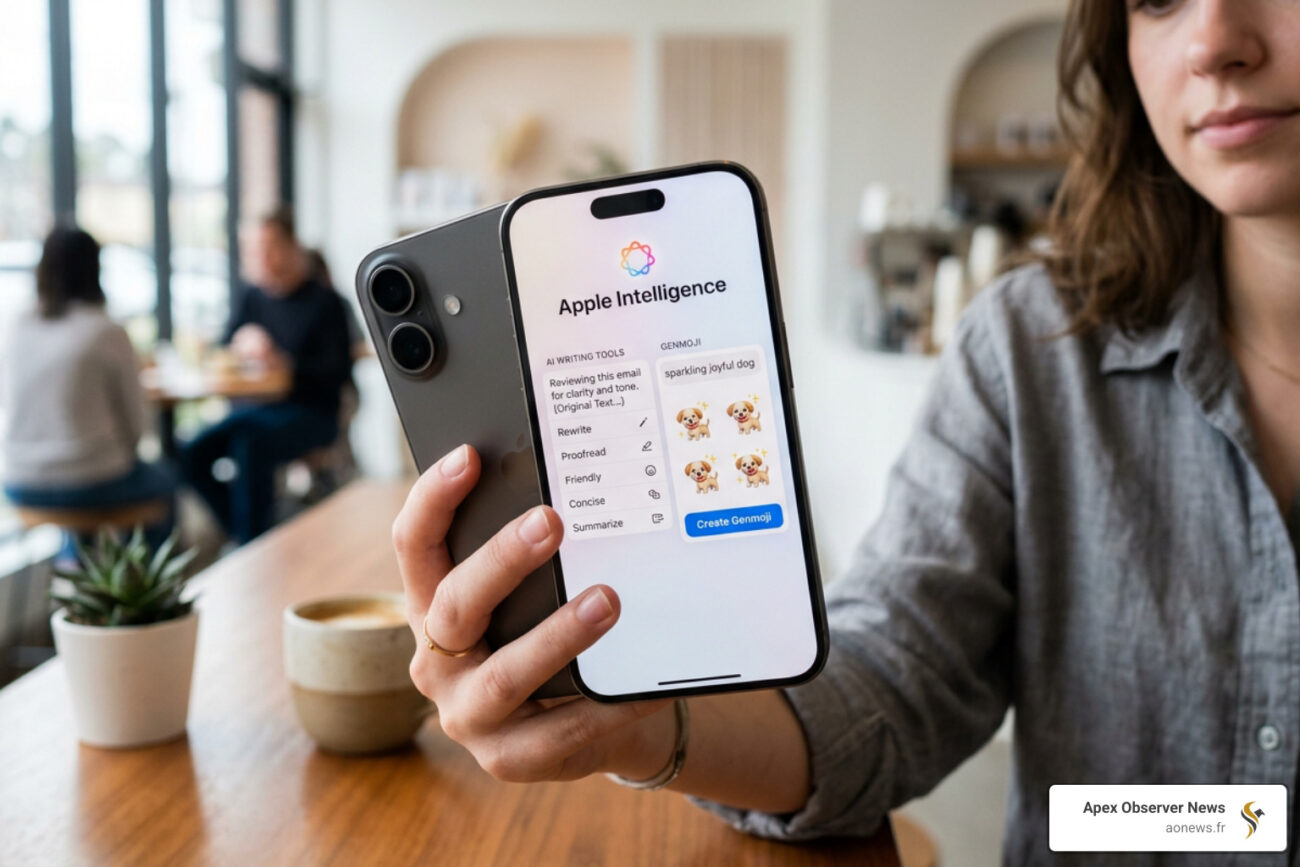
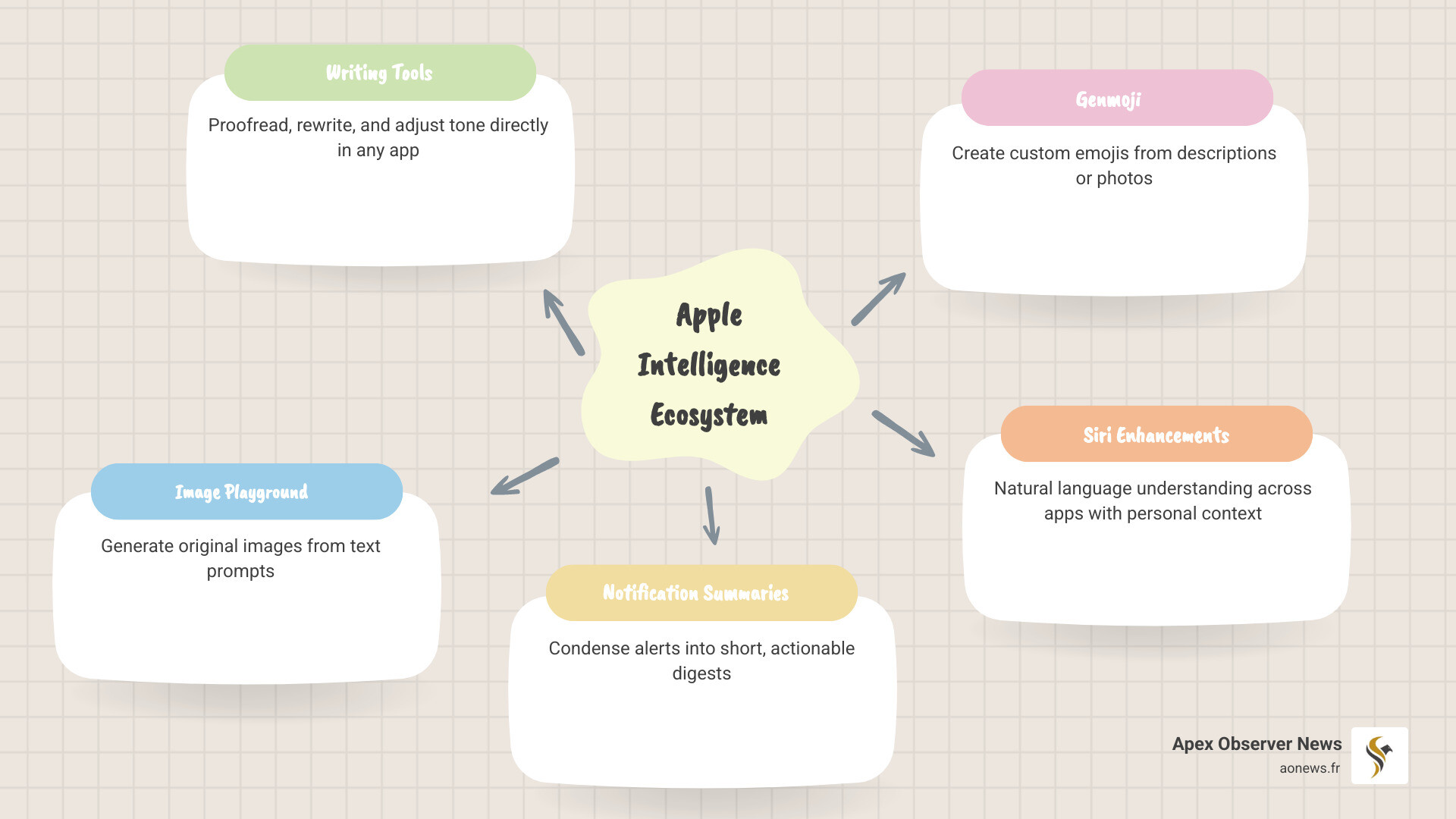
Apple Intelligence AI features are Apple’s built-in suite of generative AI tools, available free on supported iPhones, iPads, and Macs. Here’s a quick look at the top features:
| Feature | What It Does |
|---|---|
| Writing Tools | Proofread, rewrite, and adjust tone in any app |
| Priority Messages | Surfaces urgent emails automatically |
| Notification Summaries | Condenses alerts into short digests |
| Image Playground | Generates original images from text prompts |
| Genmoji | Creates custom emoji from descriptions or photos |
| Clean Up (Photos) | Removes unwanted objects from images |
| Siri Enhancements | Understands natural language, takes actions across apps |
| ChatGPT Integration | Handles complex queries via opt-in ChatGPT access |
Apple launched this system on October 28, 2024, with iOS 18.1, iPadOS 18.1, and macOS Sequoia 15.1. It runs on-device using Apple silicon, meaning your data stays private and most features work offline — no subscription needed.
The system is designed to understand your personal context — your messages, photos, calendar, and more — to deliver genuinely useful responses rather than generic AI answers.
I’m Faisal S. Chughtai, founder of ActiveX, with deep experience in app development, digital marketing, and tech optimization — including hands-on evaluation of Apple Intelligence AI features across Apple’s ecosystem. In the sections below, I’ll break down exactly which features are worth your time and how to get the most out of them.
Core Apple Intelligence AI Features for Daily Productivity
When we talk about apple intelligence ai features, the most immediate “wow” factor often comes from the system-wide Writing Tools. Unlike third-party apps that require you to copy and paste text into a separate window, Apple has baked these capabilities directly into the framework of iOS, iPadOS, and macOS. Whether you are drafting a professional email in Mail, taking notes in Pages, or even sending a quick message in a third-party app, these tools are just a tap away.
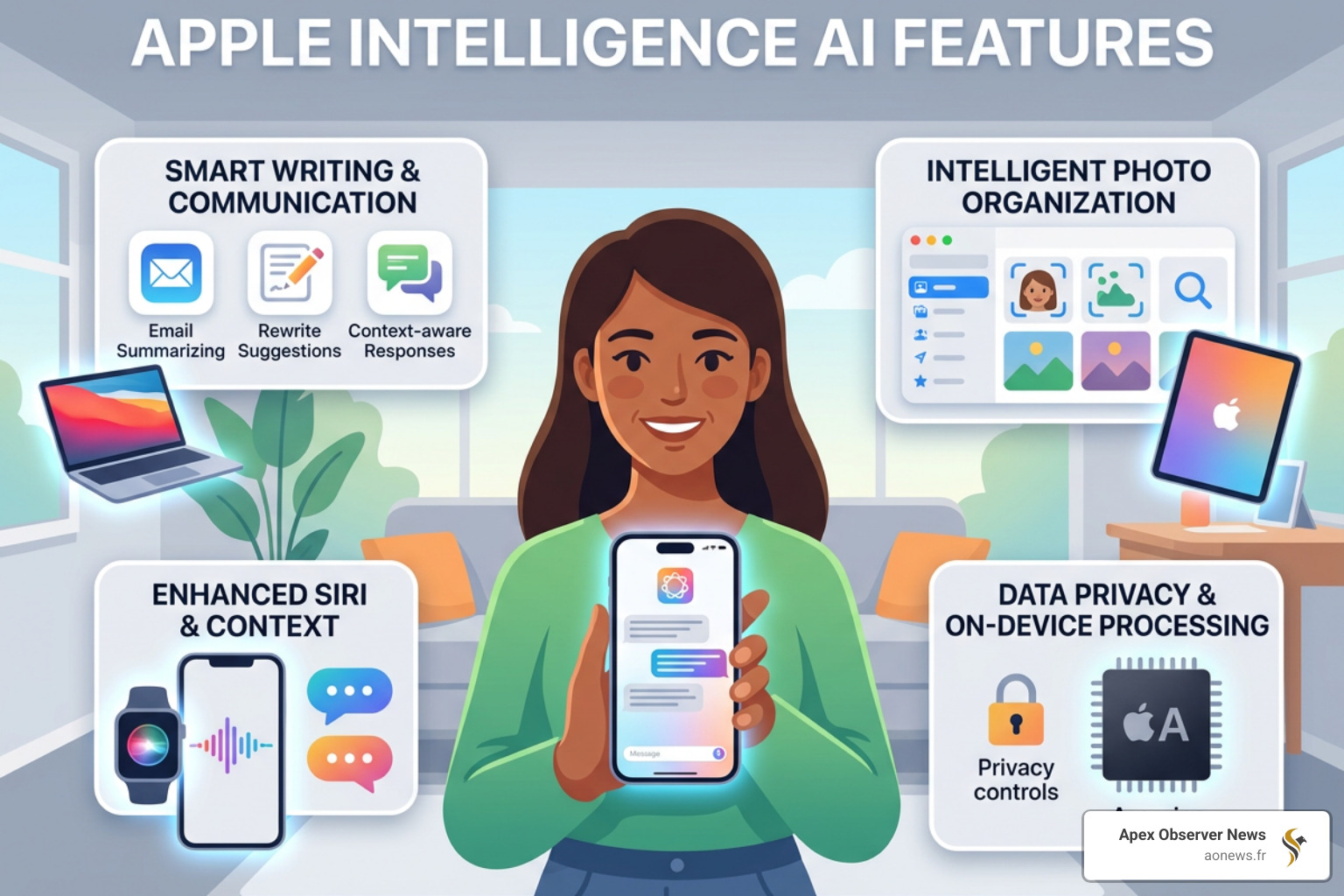
The primary goal of Writing Tools is to help us find the right words without breaking our workflow. We’ve found several key functions that stand out:
- Proofread: This goes beyond a simple spellcheck. It reviews grammar, word choice, and sentence structure, providing explanations for the suggested edits so you can actually learn from them.
- Rewrite: If you’ve written something that feels a bit “clunky,” you can ask the AI to give it another pass. It can provide different versions of your text, allowing you to choose the one that fits best.
- Tone Adjustment: This is a lifesaver for professional communication. You can take a casual draft and transform it into a “Professional” tone, or perhaps make a stiff message feel more “Friendly.”
- Summarization: If you’re staring at a massive block of text, you can highlight it and select “Summarize” to get a concise paragraph, a list of key points, or even a table.
For those interested in how these features are making their way into more affordable hardware, you can read more info about AI smarts in iPhone. To explore the full breadth of the official offerings, learn more about Apple Intelligence directly from the source.
Enhancing Communication with Apple Intelligence AI Features
Beyond just writing better, apple intelligence ai features are designed to help us manage the overwhelming flood of information we receive daily. The new “Priority Messages” feature in Mail is a perfect example. Instead of showing you the first few lines of an email (which might just be a “Hi there!”), the AI analyzes the content and surfaces urgent items—like a boarding pass for a flight today or a same-day meeting invite—right at the top of your inbox.
Another feature we use constantly is Notification Summaries. If you’ve ever stepped away from your phone and returned to a stack of 50 messages from a group chat, you know the pain of scrolling through them all. Apple Intelligence condenses that stack into a single, readable summary on your lock screen. It tells you the gist of the conversation so you can decide if you need to jump in or keep it on mute.
We also have the Reduce Interruptions Focus. This is a specialized Focus mode that uses AI to understand the content of your incoming notifications. It will silence everything except the alerts that actually require immediate attention, such as a text from your child’s school or a critical work alert. Furthermore, the Mail app now features on-device categorization, automatically sorting your mail into Primary, Transactions, Updates, and Promotions, much like other popular mail services but with the added layer of on-device privacy.
Creative Expression through Apple Intelligence AI Features
It’s not all work and productivity; Apple has included some genuinely fun creative tools. Image Playground allows us to create entirely new images based on descriptions, concepts, or even people from our Photos library. You can choose from styles like “Animation,” “Sketch,” or “Illustration” to ensure the output matches the vibe you’re going for.
One of the most talked-about additions is Genmoji. While we have thousands of standard emojis, sometimes none of them quite fit. With Genmoji, you can type a description like “T-Rex wearing a tutu on a surfboard,” and the AI will generate a custom emoji-like character for you to use. You can even create Genmoji based on photos of your friends and family.
In the Photos app, the Clean Up tool is a game-changer for amateur photographers. If you have a perfect shot of a sunset but there’s a distracting trash can in the corner, you can simply tap or circle the object, and the AI will remove it, intelligently filling in the background. Additionally, natural language search in Photos means you can find specific moments by typing things like “Maya skateboarding in a tie-dye shirt,” and the AI will find the exact frame in your video or photo collection. For those excited about new visual icons, check out the new emojis in iOS 26.4.
Privacy First: On-Device Processing and Private Cloud Compute
A major concern with AI is always: “Where is my data going?” Apple has taken a distinct path compared to many competitors. The vast majority of apple intelligence ai features run directly on your device. This means your personal data—your messages, your photos, your calendar—never leaves your iPhone, iPad, or Mac.
However, some complex requests require more processing power than a handheld device can provide. For these instances, Apple created Private Cloud Compute (PCC). When a request is sent to PCC, it is processed on Apple silicon-based servers designed specifically for privacy.
Here is how Apple ensures your security:
- No Data Retention: Apple does not store your data on these servers; it is used only to fulfill your specific request.
- End-to-End Encryption: Your data is encrypted from your device to the server.
- Verifiable Code: In a move that’s quite rare in the tech world, Apple allows independent security researchers to inspect the code running on these servers to verify that privacy promises are being kept.
- No Access for Apple: Apple itself cannot access the data sent to Private Cloud Compute.
For those who want to dive into the nitty-gritty of how these models are built, you can find technical details on Foundation Models at Apple’s machine learning research site.
Device Compatibility and Global Rollout Timeline
Because these features require significant processing power and the latest Neural Engine, they aren’t available on every Apple device. Generally, you need a device with an A17 Pro chip or any M-series chip (M1, M2, M3, M4).
| Device Category | Supported Models |
|---|---|
| iPhone | iPhone 15 Pro, 15 Pro Max, iPhone 16, 16 Plus, 16 Pro, 16 Pro Max |
| iPad | iPad Pro (M1 and later), iPad Air (M1 and later), iPad mini (A17 Pro) |
| Mac | MacBook Air, MacBook Pro, iMac, Mac mini, Mac Studio, Mac Pro (All M1 and later) |
| Other | Apple Vision Pro (with visionOS 2.4) |
The rollout is happening in stages. The first set of features arrived in October 2024. We are expecting major updates in December 2024 (iOS 18.2) with features like Genmoji and Image Playground, followed by more advanced Siri features in early 2025 (iOS 18.4). Even the Apple Vision Pro is joining the party with visionOS 2.4. You can stay updated on these releases by following Apple event updates.
Navigating Challenges and Future Developments
No technology launch is without its hiccups. Some early users noted that notification summaries could occasionally be “unintentionally funny” or even flat-out wrong. For instance, there were reports of the AI misinterpreting news headlines or social media posts, leading to some awkward summaries. Apple has been quick to iterate, and we’ve already seen improvements in how the AI handles sarcasm and context.
There have also been legal and regional challenges. A lawsuit, Landsheft v. Apple Inc., was filed regarding the marketing of AI features that weren’t available at the launch of the iPhone 16. Furthermore, residents of the European Union and China have faced delays due to local regulations like the Digital Markets Act. Apple has announced that EU support for iPhone and iPad is slated to begin in April 2025, while discussions in China involve potential partnerships with local AI providers like Alibaba.
Looking forward, the “big” Siri update is the most anticipated milestone. Eventually, Siri will have “onscreen awareness,” meaning it can see what you are looking at and take actions based on that context. It will also have a deeper understanding of your personal life, allowing you to ask questions like, “When is Mom’s flight landing?” and Siri will find the answer in your emails and check the real-time flight status. As we navigate this new world, it is important to consider the AI and ethics landscape to understand the broader implications of these tools.
Frequently Asked Questions about Apple AI
Which devices support Apple Intelligence?
As mentioned, you need an iPhone 15 Pro or later, or any iPad or Mac equipped with an M1 chip or later. The new iPad mini with the A17 Pro chip also supports it. Apple Vision Pro users will gain access via visionOS 2.4. Older devices simply don’t have the RAM (Apple Intelligence requires at least 8GB) or the Neural Engine power to run these models locally.
Is Apple Intelligence available in my region?
Currently, apple intelligence ai features are available in most regions when the device and Siri language are set to a supported version of English (like U.S., UK, Australian, or Canadian English). The rollout for other languages like French, German, Italian, and Spanish is expected throughout 2025. Residents of the EU can currently access it on Mac, with iPhone and iPad support coming in April 2025. Rollout in China is still pending regulatory approval.
How do I turn on Apple Intelligence?
Once you have updated to iOS 18.1 or later:
- Open the Settings app.
- Scroll down and tap Apple Intelligence & Siri.
- Tap Join the Apple Intelligence Waitlist (if applicable) or simply toggle it on.
- Your device will begin downloading the necessary models (roughly 7 GB of storage is required). Make sure you are on Wi-Fi and connected to power for the fastest download.
Conclusion
At Apex Observer News, we believe apple intelligence ai features represent a significant shift in how we interact with our personal devices. By prioritizing privacy through on-device processing and Private Cloud Compute, Apple is attempting to prove that AI can be both powerful and secure. While features like Genmoji and Image Playground add a layer of fun, it’s the subtle productivity boosts—like Priority Messages and Writing Tools—that will likely have the biggest impact on our daily lives.
As the rollout continues through 2025 and 2026, we expect to see even tighter integration with third-party apps and a more capable, context-aware Siri. This is just the beginning of a new era for the iPhone, iPad, and Mac. For the latest updates on this and other breaking tech stories, stay tuned to our Latest Tech News section.
