

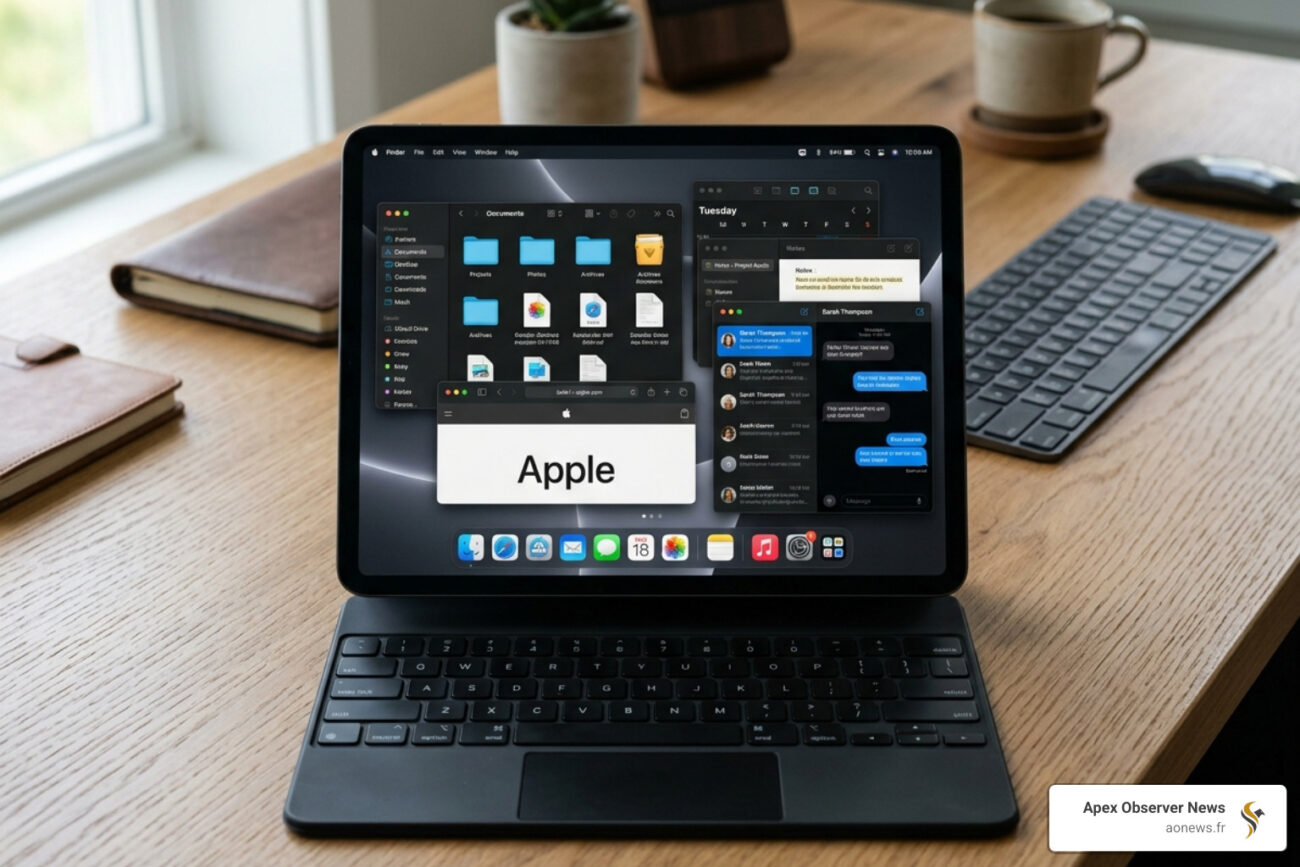
iPadOS 26: The Biggest Leap in iPad Software History
The latest iPad OS is iPadOS 26, released on September 15, 2025. Here’s what you need to know at a glance:
| Detail | Info |
|---|---|
| Latest version | iPadOS 26 |
| Release date | September 15, 2025 |
| Biggest new feature | Liquid Glass design |
| Versioning change | Jumped from iPadOS 18 to 26 (year-based) |
| Oldest supported iPad | iPad 8th generation (2020) |
| Apple Intelligence | Requires M1 chip or later |
Apple skipped from iPadOS 18 straight to iPadOS 26 — no, you didn’t miss anything. This was a deliberate shift to a year-based versioning system, aligning iPad software with the broader Apple platform lineup. It’s the most significant iPad software redesign since iOS 7, introducing a brand-new design language called Liquid Glass, a true windowing system, and a wave of pro-grade apps that make iPad feel closer to a Mac than ever before.
For busy tech users who rely on their iPad daily, this update isn’t just cosmetic. It changes how you work, communicate, and multitask on the device.
I’m Faisal S. Chughtai, founder of ActiveX and a specialist in app development, digital strategy, and emerging platform ecosystems — including tracking every major shift in the latest iPad OS releases. Let’s break down exactly what changed, what it means for you, and whether your iPad made the cut.
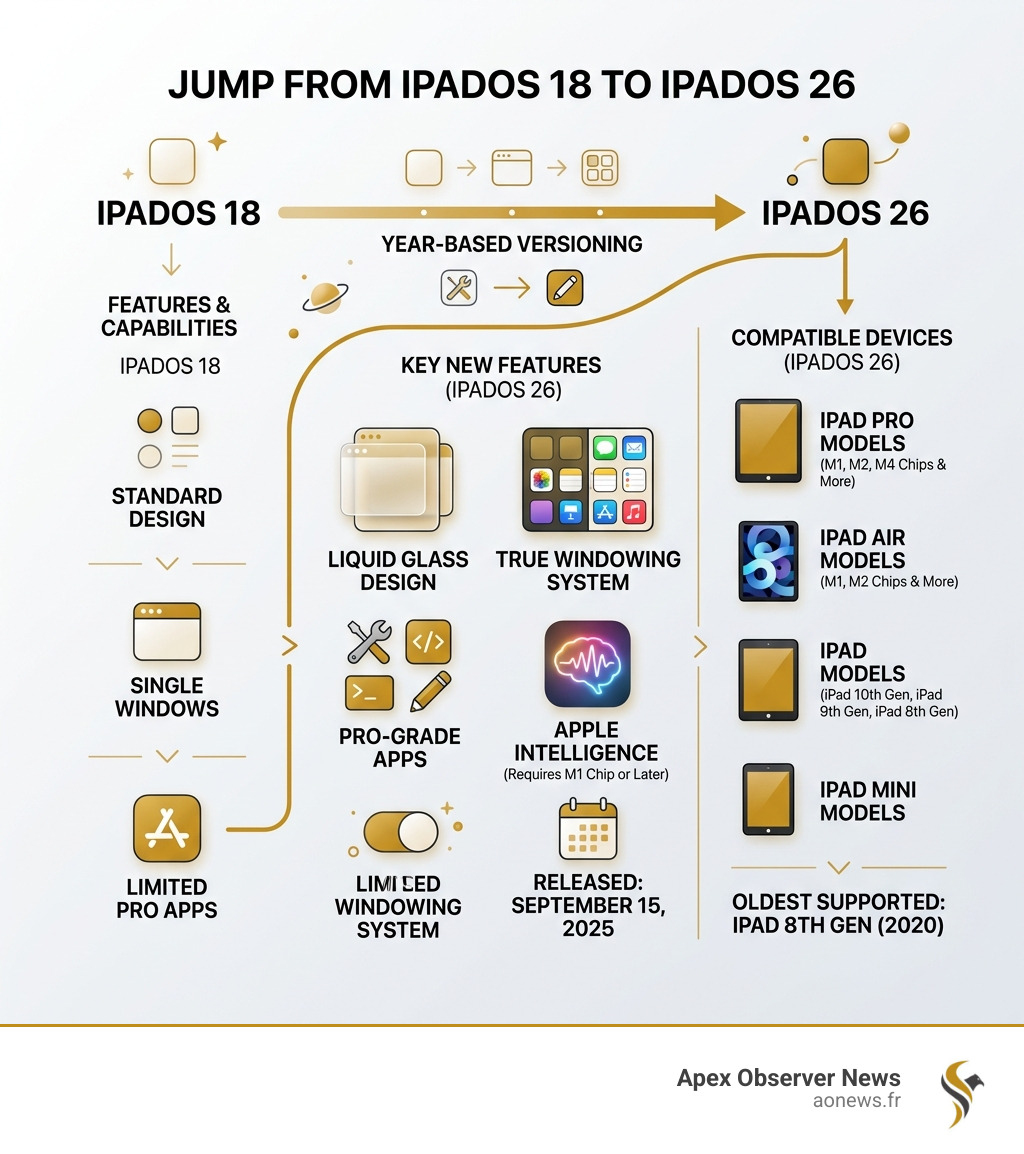
Simple latest ipad os word guide:
Liquid Glass and the New Windowing System
If you’ve been using an iPad for years, the first thing you’ll notice about the latest iPad OS is that it looks… different. Really different. Apple has introduced Liquid Glass, a design language that moves away from flat icons and toward a UI that feels alive. This isn’t just about pretty colors; Liquid Glass uses real-time refraction and reflection to make the interface feel more vibrant. When you move a window, the colors of the wallpaper “bend” through the glass-like headers of your apps.
But the real “glow-up” isn’t just skin deep. We finally have a windowing system that doesn’t feel like a compromise.

Power Multitasking: Tiling and Exposé
Gone are the days of struggling with simple Split View. iPadOS 26 introduces Window Tiling, allowing us to flick windows to the left or right to automatically snap them into thirds or quarters. It feels much more like a desktop experience. If you get lost in your open apps, a quick swipe up and hold triggers Exposé, showing every active window in a neat grid so you can jump between projects instantly.
The Pro Desktop Experience
To further bridge the gap between tablet and computer, Apple added several key navigation features:
- Menu Bar: A new, intuitive menu bar can be accessed by swiping down from the top, giving you quick access to app-specific commands.
- Folders in the Dock: You can now place folders directly in the Dock for instant access to your most-used documents or downloads.
- Supercharged Files App: The Files app has been overhauled with resizable columns and the ability to set default apps for specific file types.
These changes are a dream for developers and power users alike. If you’re interested in how these types of interfaces are built, you might want to read about 15 Ways AI is Contributing to Web Development to see how modern UI is evolving. To dive deeper into the technical side, you can also Learn more about developing for iPadOS.
Apple Intelligence: AI Features in the Latest iPadOS
Apple Intelligence isn’t just a buzzword in iPadOS 26; it’s the engine behind almost every new “smart” feature. This suite of AI tools is designed to be personal and private, utilizing on-device processing to keep your data secure.
Communication and Creativity
- Live Translation: This is a game-changer for international business or travel. It provides automatic text translation in Messages and live captions during FaceTime calls. It even works in the new Phone app for spoken translations.
- Genmoji and Image Playground: We can now create custom emojis (Genmoji) simply by typing a description. Image Playground allows us to create entirely new images or edit existing photos using AI-driven suggestions.
- Writing Tools: Whether you’re writing an email or a blog post, the system-wide Writing Tools can proofread, rewrite for tone, or summarize long threads of text.
The Siri Glow-Up
Siri has received a massive visual and functional update. When active, a vibrant glow appears around the entire edge of the screen, signaling that the assistant is listening. With better contextual awareness, Siri can now understand what’s happening on your screen to help you complete tasks across different apps.
For those looking to get the most out of these tools, check out our guide on Pick of the Crop: Apple Intelligence AI Features to Try. If you’re curious about the tech behind the curtain, we also have A Beginner Guide to Artificial Narrow Intelligence and Beyond.
New Pro Apps and Communication Tools
For years, users have begged for “real” apps on the iPad. With the latest iPad OS, Apple has finally delivered some of the most requested software from the macOS ecosystem.
Preview and the Phone App
The Preview app has finally made the jump from Mac to iPad. It’s fully optimized for the Apple Pencil, making it the best way to sign PDFs, annotate images, or fill out forms.
Perhaps even more surprising is the arrival of the Phone app. Yes, you can now manage calls directly from your iPad. It includes Call Screening to filter out spam and Hold Assist, which waits on the line for you when you’re stuck on hold with customer service.
Creativity and Math
- Journal App: The new Journal app supports full handwriting integration with the Apple Pencil, allowing you to sketch your thoughts alongside typed entries and location maps.
- Calculator and Math Notes: The iPad finally has a native Calculator! But it’s not just a basic grid of numbers. With Math Notes, you can handwrite equations with your Apple Pencil, and the iPad will solve them in your own handwriting style in real-time. It can even generate 3D graphs from your variables.
To see how Apple is expanding its app ecosystem even further, read about how Apple Unveils New App to Explore the World of Classical Music.
Compatibility and Support: Which iPads Make the Cut?
With such a massive leap in design and AI capability, not every older model could keep up. iPadOS 26 requires significant horsepower, especially for the Liquid Glass effects and Apple Intelligence.
Compatibility Table: iPadOS 26 vs. iPadOS 18
| iPad Model | iPadOS 18 Support | iPadOS 26 Support |
|---|---|---|
| iPad Pro 11/13-inch (M5) | N/A (New Release) | Yes |
| iPad Pro (M4) | Yes | Yes |
| iPad Pro 12.9 (3rd Gen & later) | Yes | Yes |
| iPad Air (M2 & M3) | Yes | Yes |
| iPad Air (3rd Gen & later) | Yes | Yes |
| iPad Mini (A17 Pro) | Yes | Yes |
| iPad Mini (5th Gen & later) | Yes | Yes |
| iPad (10th Gen) | Yes | Yes |
| iPad (8th & 9th Gen) | Yes | Yes |
| iPad (7th Gen) | Yes | No (Maxes at 18.7) |
As you can see, the latest iPad OS supports over 25 distinct models, but the 7th-generation iPad has finally reached its end-of-life for major updates. To see the official list, visit iPad models compatible with iPadOS 26. For those also tracking the iPhone side of things, don’t miss our breakdown of What’s New in iOS 26.2 and Why You Should Care.
Security Updates for Older Models on the Latest iPadOS Cycle
Don’t panic if your iPad didn’t make the list for version 26. Apple is famously good at providing security patches for older hardware. Models like the iPad (7th gen) are still receiving iPadOS 18.7, which includes critical performance improvements and security updates. Even older versions like iPadOS 17.7.10 and 16.7.12 received updates on the same day iPadOS 26 launched to ensure all users stay protected.
If you’re managing multiple Apple devices, you might find our guide on how to handle the latest macOS security update equally useful.
How to Update to the Latest iPadOS
Updating is straightforward, but because iPadOS 26 is a major overhaul, we recommend a few precautions:
- Check Compatibility: Ensure your model is on the list above.
- Power Up: Your iPad should be plugged in or have at least 50% battery.
- Connect to Wi-Fi: This is a large download; a stable connection is a must.
- Go to Settings: Navigate to Settings > General > Software Update.
If you’re also looking to keep your accessories up to date, check out How to Update AirPods Firmware: 5 Guaranteed Methods.
Frequently Asked Questions about the Latest iPadOS
What happened to iPadOS 19 through 25?
Apple decided to skip several version numbers to move to a year-based versioning scheme. Since it is now 2025, the software released this year is iPadOS 26 (aligning with the upcoming year 2026 cycle). This helps users immediately know how current their software is without having to memorize arbitrary version numbers.
Does my iPad support the new Liquid Glass design?
While most iPads that can run iPadOS 26 will see the new design, the most advanced Liquid Glass effects—like real-time refraction and complex reflections—are optimized for M-series chips (M1 through M5) and the A17 Pro. Older chips may use a slightly simplified version of the theme to maintain performance.
Can I use the Phone app on an iPad without a SIM card?
Yes! The Phone app on iPad works through your iPhone via FaceTime integration and Wi-Fi calling. As long as your devices are on the same iCloud account, you can make and receive calls, use Contact Posters, and even record and transcribe conversations directly into the Notes app.
Conclusion
With the release of iPadOS 26, the answer to “Is your tablet finally a computer?” is closer to “Yes” than it has ever been. Between the sophisticated Liquid Glass design, the professional windowing system, and the inclusion of “real” apps like Preview and a native Calculator, the latest iPad OS turns the iPad into a productivity powerhouse.
Whether you are a student using Math Notes to ace an exam or a professional using Live Translation for a global meeting, iPadOS 26 offers a level of versatility that was previously reserved for the Mac.
Stay tuned to Apex Observer News for more deep dives into Apple. For the most recent headlines in the tech world, visit our Latest Technology News and Updates.
