

Why the Apple iOS 26.2 Update Is One of the Biggest iPhone Releases in Years
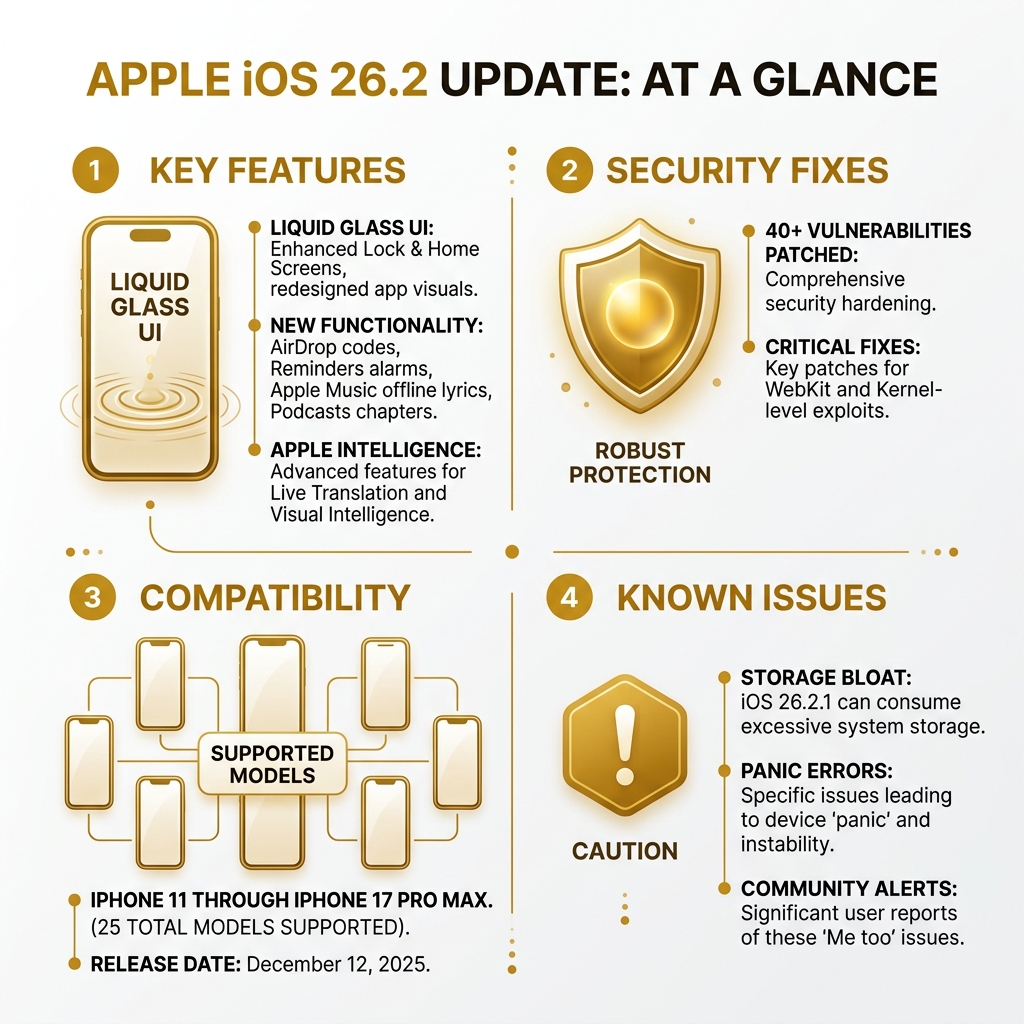
The apple ios 26.2 update dropped on December 12, 2025 — and it brought a lot more than a routine patch. Here’s a quick snapshot of what matters most:
| Category | What’s New |
|---|---|
| Design | Liquid Glass UI across Lock Screen, Home Screen, and apps |
| Features | AirDrop codes, Reminders alarms, Apple Music offline lyrics, Podcasts chapters |
| Security | 40+ vulnerabilities patched, including critical WebKit and Kernel-level fixes |
| Compatibility | iPhone 11 through iPhone 17 Pro Max (25 models total) |
| Release Date | December 12, 2025 |
| Known Issues | iOS 26.2.1 caused storage bloat and PANIC errors on some devices |
Apple’s iOS 26 generation is the most ambitious design overhaul in years. The new Liquid Glass interface isn’t just cosmetic — it changes how the entire system looks and feels. Paired with Apple Intelligence features like Live Translation and Visual Intelligence, iOS 26.2 pushes iPhones into new territory.
But it hasn’t been a smooth ride for everyone. A thread on Apple’s community forum titled “iOS 26.2.1 has rendered my phone unusable” racked up 547 “Me too” responses — a signal that real problems exist beneath the polished surface.
This review cuts through the noise. We’ll cover what works, what doesn’t, and whether you should update right now.
I’m Faisal S. Chughtai, founder of ActiveX, with years of hands-on experience in app development, digital strategy, and platform optimization — including tracking how updates like the apple ios 26.2 update affect real users and developers. Let’s get into it.
Apple ios 26.2 update terms you need:
Liquid Glass and the New Era of Apple Intelligence
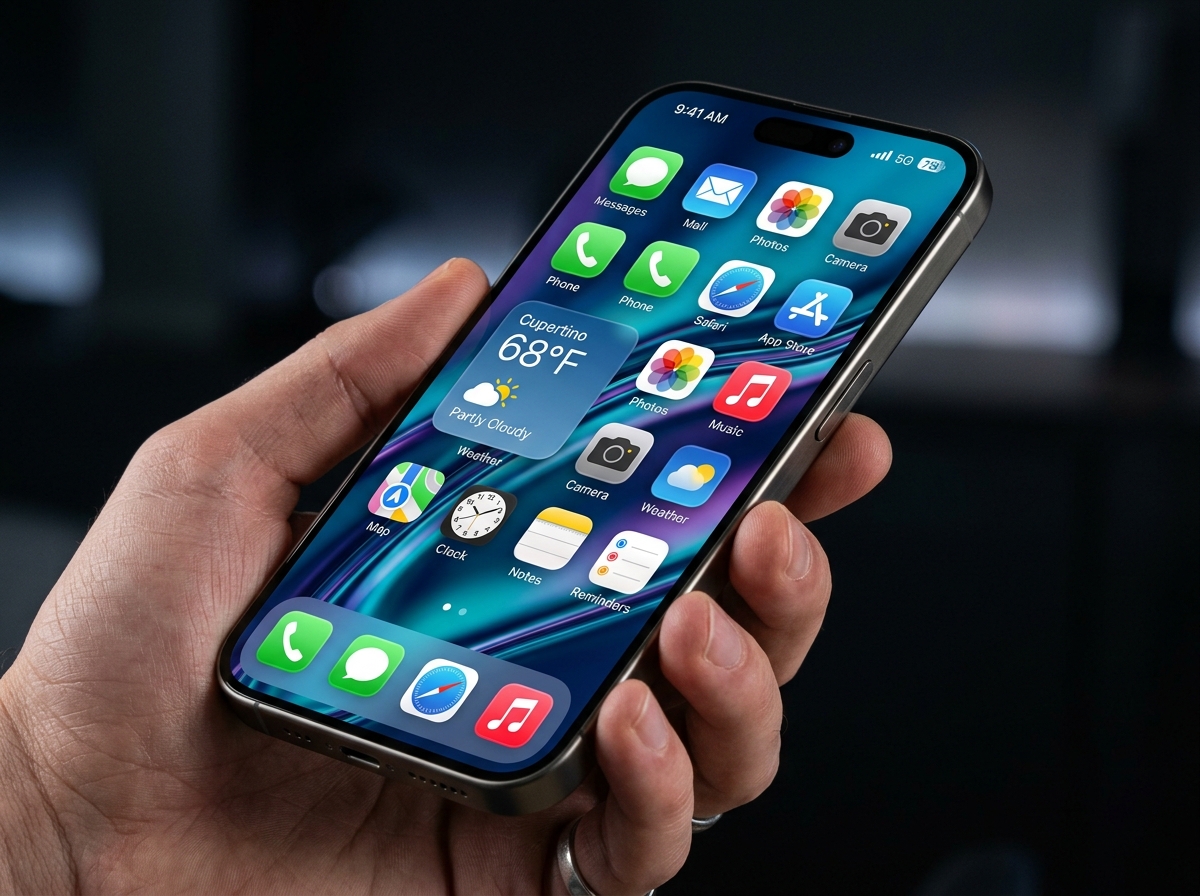
The most striking change we noticed in the apple ios 26.2 update is the “Liquid Glass” design. This isn’t just a fancy name for a new wallpaper; it’s a fundamental shift in how the UI interacts with light and touch. The interface now refracts and reflects content in real-time, making the Lock Screen and Home Screen feel like they have actual physical depth. When you tilt your phone, the glass-like elements shift, creating a seamless, expressive experience that feels “instantly familiar” yet futuristic.
But the beauty is more than skin deep. Apple Intelligence is the engine driving this update. One of the standout features is Visual Intelligence, which allows you to interact with your screen in ways we’ve never seen before. You can search for items you see in photos, add events directly from a flyer shown on your screen, or ask complex questions about the content of a webpage.
For those looking for a deeper dive into these specific enhancements, you can find More info about iOS 26.2 features which details how these “intelligent experiences” are integrated into the apps we use daily.
Media and Gaming Overhaul
The apple ios 26.2 update also brings significant love to Apple Music, Podcasts, and the all-new Games app:
- Games App: This is a new central hub for your gaming life. It allows you to discover new titles, see what your friends are playing, and take on challenges. You can now filter your library by category or file size, which is a lifesaver for those of us managing limited storage.
- Apple Music: We now have “AutoMix,” which creates smoother transitions between songs. More importantly, you can now view offline lyrics for downloaded songs—perfect for that subway ride or flight where data is non-existent.
- Podcasts: Navigation is much easier with automatically generated chapters. You can jump straight to the segment you want to hear without scrubbing through the whole episode.
- Lock Screen Customization: You can now adjust the transparency of the clock, which is a subtle but welcome change for those who want their wallpaper to really shine through.
Key Accessibility Fixes in the apple ios 26.2 update
Apple has always been a leader in accessibility, and the apple ios 26.2 update continues that tradition with some much-needed fixes and new tools for VoiceOver and low-vision users.
One of the most helpful additions is the Lock Screen clock transparency slider. For users with low vision, being able to adjust the legibility of the clock against various backgrounds is a game-changer. Furthermore, the update introduces “Flash for Alerts” (distinct from the rear LED flash), which flashes the front screen to notify users who are hard of hearing or have their phones silenced.
According to the official About iOS 26 Updates documentation, several long-standing bugs have been squashed:
- Braille Keyboard: The issue where the external Braille keyboard wouldn’t echo words correctly has been resolved.
- Single Letter Quick Nav: New toggles in the VoiceOver settings allow for more efficient typing and navigation.
- Freeform Tables: VoiceOver can now navigate tables within the Freeform app much more reliably.
The Security and Privacy Shift in the apple ios 26.2 update
Security is perhaps the most critical reason to install the apple ios 26.2 update. Apple addressed over 40 security vulnerabilities in this release. This isn’t just routine maintenance; some of these fixes are vital for protecting your personal data.
A major highlight is the fix for CVE-2025-46285, a kernel-level issue that could allow an attacker to achieve root privilege escalation. In plain English: it could let a bad actor take complete control of your device. There were also 12 separate fixes for WebKit, the engine that powers Safari. Apple noted that some WebKit vulnerabilities were being exploited in sophisticated, targeted attacks against individuals before this patch was released.
You can read the full technical breakdown in the official document About the security content of iOS 26.2.
AirDrop Codes and Safety Alerts
Privacy also gets a boost with the new AirDrop codes feature. Previously, if you set AirDrop to “Everyone,” anyone nearby could try to send you a file. Now, when receiving a file from an unknown contact, a verification code is required. This ensures that you are actually intending to connect with that specific person, preventing “AirDrop spam” and enhancing security in public spaces.
Additionally, the update introduces Enhanced Safety Alerts in the U.S. These provide detailed maps and guidance during local emergencies, ensuring you aren’t just told there’s a problem, but shown exactly how to stay safe.
Critical Bugs and Performance Hurdles in iOS 26.2.1
While the 26.2 update was generally well-received, the subsequent iOS 26.2.1 update (released in late January 2026) introduced some “panic-inducing” problems—literally.
Many users reported a massive spike in “System Data” consumption. This “storage bloat” saw some iPhones suddenly lose 10GB to 30GB of free space to a feature called Reserved Auto-Update Space. For users with 64GB or 128GB models, this often rendered the phone unusable, as the OS couldn’t even perform basic background tasks without crashing.
Even more concerning were the reports of “PANIC” errors. Some users found their phones stuck in a loop of frequent reboots. While home diagnostics often showed the hardware was “fine,” in-store Apple diagnostics revealed kernel panic errors that required full hardware replacements. For those without AppleCare+, these out-of-warranty replacements were quoted at $479.
We’ve seen that Apple is trying to mitigate this with “AI smarts” in newer hardware, and you can read more about how apple bakes in AI smarts into its new $599 iPhone 17e to handle these software demands more efficiently.
How to Safely Install the apple ios 26.2 update
Given the reported issues with 26.2.1, we recommend taking specific precautions before hitting that “Update” button.
- Full Backup: This is non-negotiable. Use a computer (Finder or iTunes) for a local backup rather than just relying on iCloud. If your storage gets corrupted during the update, a computer-based restore is often the only way to save your data.
- Free Up Space: Ensure you have at least 30GB of free space. While the update itself isn’t that large, the “System Data” expansion during installation needs breathing room to avoid a storage lockout.
- Disable Auto-Updates: Go to Settings > General > Software Update and turn off Automatic Updates. This prevents the “Reserved Auto-Update Space” from taking up 10GB of your storage prematurely.
- Reset All Settings: If you experience weird glitches after the update, try Reset All Settings. It won’t delete your photos or apps, but it will revert system configurations (like Wi-Fi passwords and Home Screen layouts) to default, which often clears up software conflicts.
Hardware Synergy: AirTag 2 and Studio Display Integration
The apple ios 26.2 update isn’t just about software; it’s the bridge to Apple’s newest hardware. Specifically, iOS 26.2.1 was released to provide day-one support for the AirTag (2nd generation).
The new AirTags feature an upgraded Ultra Wideband (UWB) chip that significantly extends the range and accuracy of Precision Finding. For the first time, you can now use Precision Finding directly on your Apple Watch (Series 9, Ultra 2, or later) to hunt down your keys.
The update also improves integration with Studio Displays, offering better stability for camera and audio features when connected to your iPhone.
iPhone Compatibility
iOS 26 is compatible with a whopping 25 iPhone models. If you’re rocking an iPhone 11 or newer, you’re in the club.
| iPhone Generation | Models Supported |
|---|---|
| iPhone 17 | Pro Max, Pro, Standard, Air, 17e |
| iPhone 16 | Pro Max, Pro, Plus, Standard |
| iPhone 15 | All Models |
| iPhone 14 | All Models |
| iPhone 13 | All Models (including mini) |
| iPhone 12 | All Models (including mini) |
| iPhone 11 | All Models |
| iPhone SE | 2nd Gen and 3rd Gen |
Frequently Asked Questions about the Apple iOS 26.2 Update
What are the major new features in iOS 26.2?
The major features include the Liquid Glass design, Visual Intelligence for screen-based searching, AirDrop codes for better security with strangers, and offline lyrics in Apple Music. It also introduces Alarms for Reminders, allowing you to treat a task like an urgent wake-up call with snooze options.
Which iPhone models are compatible with iOS 26.2?
The update supports 25 models, ranging from the iPhone 11 all the way up to the latest iPhone 17 Pro Max and the new iPhone Air. It also supports the 2nd and 3rd generation iPhone SE.
How do AirDrop codes improve security?
AirDrop codes prevent “cyber-flashing” and unwanted file transfers. When someone not in your contacts tries to send you a file, both phones will display a code. You must confirm the code matches before the transfer begins, ensuring you know exactly who is sending the file.
Is the iOS 26.2.1 update safe?
For most users, yes. However, if you are low on storage (under 20GB free), you should be cautious. The “System Data” bloat has caused “PANIC” errors and reboots for some users. Always perform a full backup before installing.
Conclusion
The apple ios 26.2 update is a massive leap forward in design and intelligence, though it has clearly arrived with some growing pains. The Liquid Glass UI and Apple Intelligence features make the iPhone feel fresh again, and the security patches are non-negotiable for anyone concerned about their digital safety.
However, the storage issues found in version 26.2.1 serve as a reminder to always proceed with caution. At Apex Observer News, we recommend that users on older devices (like the iPhone 11 or 12) ensure they have plenty of free space before making the jump.
Looking ahead, iOS 26.3 is already on the horizon, promising end-to-end encryption for RCS messaging and notification forwarding. Furthermore, iOS 26.4 is rumored to integrate Google’s Gemini AI to further bolster Siri’s capabilities.
For more on the latest in the Apple ecosystem and beyond, stay tuned to our More tech news and updates section. Whether it’s the latest lottery results or the next big iPhone leak, we’ve got you covered.
