

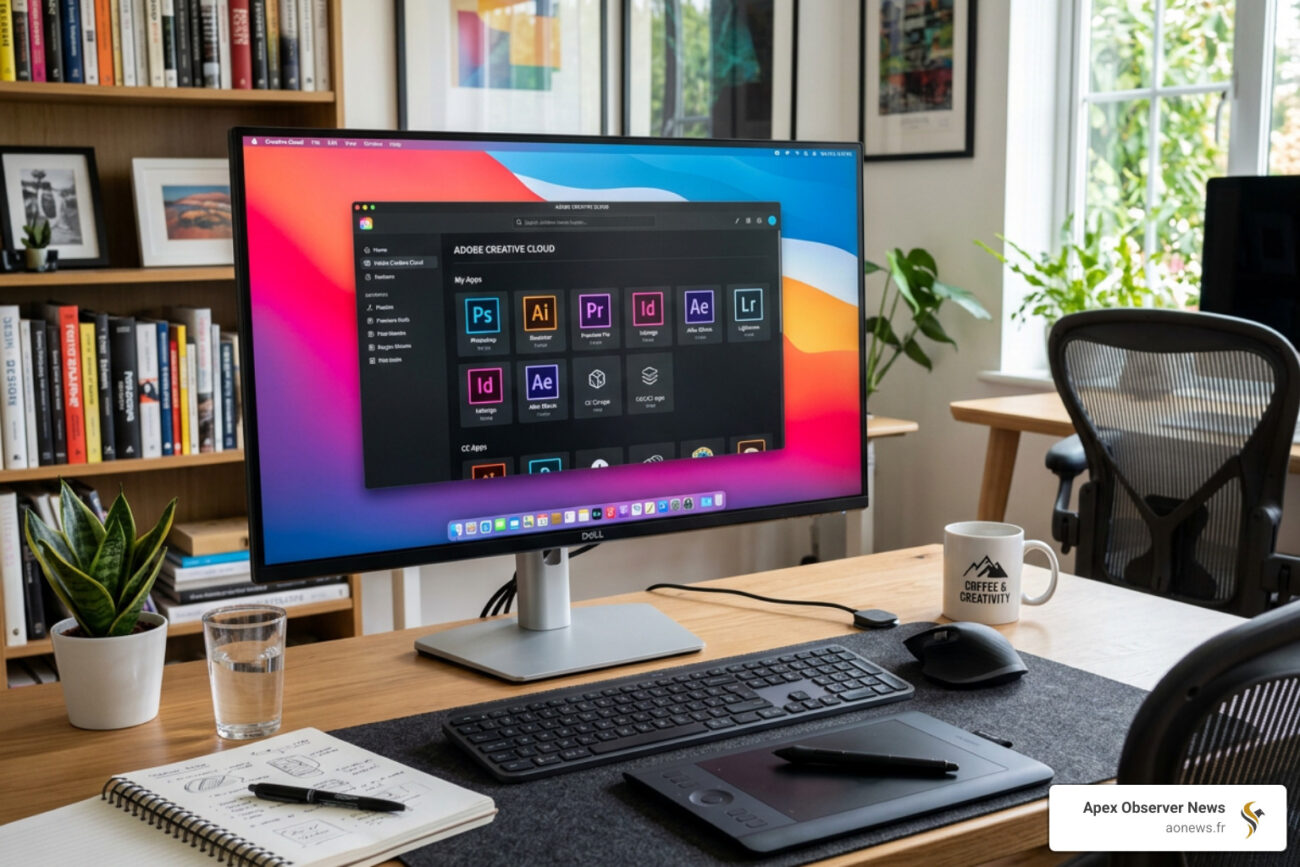
Why Adobe Creative Cloud Dominates the Creative Software World
Adobe Creative Cloud is Adobe’s subscription-based suite that gives you access to 20+ professional creative apps — including Photoshop, Illustrator, Premiere Pro, Acrobat Pro, and more — plus cloud storage, AI tools, and asset management, all in one plan.
Quick answer for what you need to know:
| What You Want | What CC Offers |
|---|---|
| Photo editing | Photoshop CC |
| Vector design | Illustrator CC |
| Video editing | Premiere Pro CC |
| PDFs | Acrobat Pro |
| AI art generation | Adobe Firefly |
| All apps together | All Apps plan (~$60/mo) |
| Try before buying | 7-day free trial, 14-day refund |
| Student pricing | Discounted plans available |
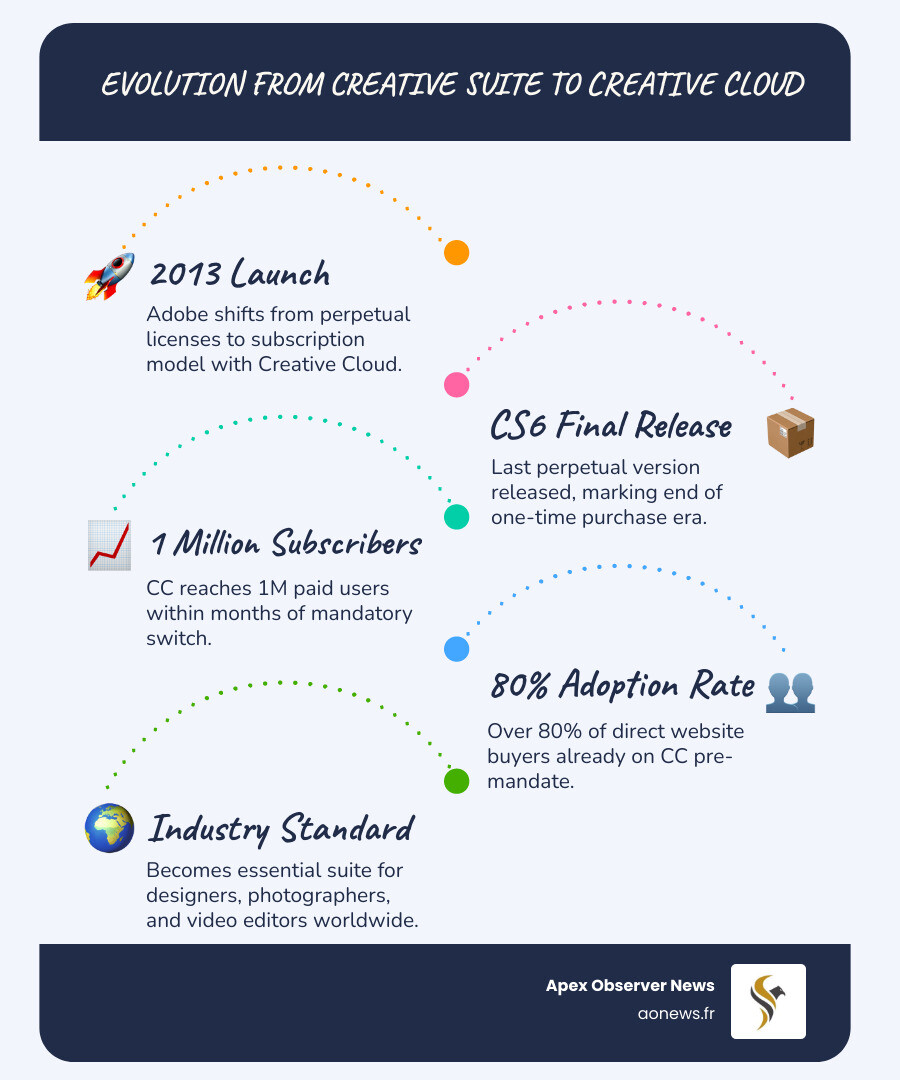
It replaced Adobe Creative Suite back in 2013 — and that shift was controversial. Users went from buying software once to paying every month or year, forever. A Change.org petition against the model gathered over 30,000 signatures.
Yet despite the backlash, the numbers told a different story. More than 80% of customers buying from Adobe’s website were already choosing Creative Cloud before the subscription-only switch was even mandatory. By September 2013 — just months after launch — CC had already passed 1 million subscribers.
Today it’s the industry standard for designers, photographers, video editors, and creative teams worldwide.
*I’m Faisal S. Chughtai, founder of ActiveX, where I’ve worked extensively with Adobe Creative Cloud as part of branding, app development, and digital marketing workflows for clients across industries. In the guide below, I’ll break down everything you need to know — from pricing and plans to AI features and honest criticisms.
What is Adobe Creative Cloud and Its Core Offerings?
At its heart, Adobe Creative Cloud (often abbreviated as CC) is more than just a collection of apps; it is a comprehensive service that connects your creative work across different devices. When we talk about “the cloud” in this context, we aren’t just talking about where files are saved. We are talking about a centralized hub where licenses are managed, fonts are synced, and updates are delivered instantly.
The core of this ecosystem is the Adobe Creative Cloud desktop app. Think of this as your mission control. From here, we can quickly launch apps, manage updates, and share assets with team members. It’s designed to stay out of the way until we need it, allowing us to focus on the actual creative work.
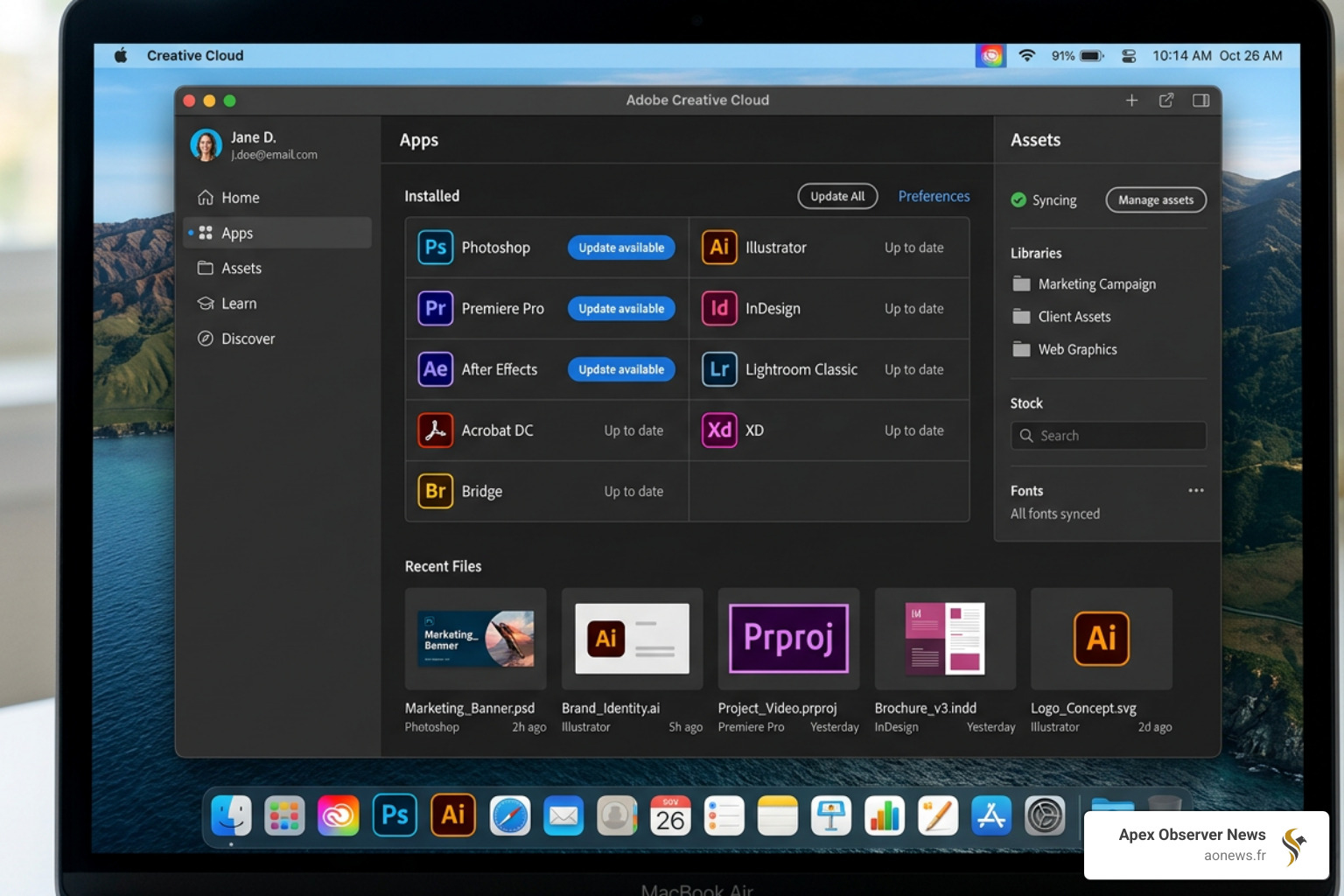
As of early 2025, the suite includes over 20 applications. The most recent stable releases, such as the January 14, 2025, update (CC 2025), have pushed the boundaries of what these tools can do. We are now seeing versions like:
- Photoshop CC 2026 (27.3.0): The gold standard for image manipulation.
- Illustrator CC 2026 (30.1.0): The go-to for vector graphics and logos.
- Premiere Pro CC 2026 (26.0.0): Professional-grade video editing.
Beyond the big names, the service provides centralized asset management. This means if we save a color palette or a specific logo to our Creative Cloud Libraries, it’s available whether we are working in Photoshop on a Mac or Illustrator on an iPad. For those keeping an eye on technical tweaks and performance improvements, you can always check the Adobe Creative Cloud desktop app release notes.
Key Applications and Services in Adobe Creative Cloud
While most people know Photoshop, the Adobe Creative Cloud suite is incredibly deep. Here are some of the essential services that make the subscription worth the price of admission for professionals:
- Acrobat Pro: This isn’t just for reading PDFs. It’s a full-scale productivity tool for editing, securing, and signing documents.
- Adobe Express: For those moments when we need a high-quality social media graphic or a quick video but don’t want to open the “heavy” apps like After Effects. It offers user-friendly templates and browser-based editing.
- Behance Integration: The world’s leading platform for showcasing creative work is baked right into the CC experience, making it easy to publish our latest projects directly from the apps.
- Adobe Stock: A massive library of royalty-free images, videos, and 3D assets. While some plans include a limited number of assets, it’s a vital resource for high-speed commercial work.
- Font Management: Adobe Fonts (formerly Typekit) gives us access to thousands of premium fonts that sync across all our devices and apps instantly.
- Adobe IPC Broker: You might see this running in your task manager. It’s a background process that helps the different Adobe applications communicate with each other—a “hidden helper” that keeps the ecosystem running smoothly.
When we are setting up a new project, it’s important to keep the fundamentals in mind. If you are a designer, you might want to check out More info about design principles to ensure your work in Illustrator or InDesign hits the mark.
New Features: Adobe Firefly AI and Generative Fill
The biggest shift in the creative world recently has been the integration of Artificial Intelligence. Adobe has leaned heavily into this with Adobe Firefly, their family of creative generative AI models.
The standout feature here is Generative Fill in Photoshop. It allows us to add, remove, or expand content in an image using simple text prompts. Need to change a rainy background to a sunny beach? Just highlight the area, type the prompt, and Firefly does the rest.
What makes Adobe’s approach different is their focus on “Content Credentials.” They aim to ensure that AI-generated content is transparently labeled, which is a big deal for commercial ethics. Recent updates have even seen the integration of advanced models like Gemini 3 and FLUX.2 pro into these workflows, allowing for even more realistic results.
For those interested in how this stacks up against other AI tools, you can read the Latest on AI image editing. The goal of these features isn’t just to make “cool art”—it’s about productivity. Tasks that used to take hours of tedious masking and cloning now take seconds, freeing us up to focus on the actual vision of the project.
Subscription Model, Pricing, and Plans
Adobe shifted to a subscription-only model because it allowed them to release updates as soon as they were ready, rather than waiting for a massive “Version 7.0” release every two years. However, this means we have to navigate a variety of tiers.
Here is a breakdown of the primary options available for individuals and teams:
| Plan Tier | Best For | Key Features |
|---|---|---|
| Photography | Photographers | Photoshop, Lightroom, and 20GB or 1TB of cloud storage. |
| Single App | Specialized Pros | Access to just one app (e.g., Premiere Pro) plus 100GB storage. |
| All Apps | Full-scale Creatives | 20+ apps, 100GB storage, Adobe Fonts, and 1,000 monthly generative credits. |
| All Apps + Adobe Stock | Agencies | Everything in All Apps plus access to millions of stock assets. |
| Business/Teams | Companies | License management, 1TB storage per user, and 24/7 tech support. |
| Students & Teachers | Education | A massive discount (often over 60% off) for the first year of All Apps. |
Currently, Adobe often runs promotional offers, such as significant discounts for the first few months of a subscription. If you are on the fence, the 7-day free trial is a great way to test the waters. Just remember that Adobe has a strict 14-day refund policy. If you cancel within 14 days of your initial purchase, you get a full refund. After that, you are generally locked in for the remainder of your term (especially on annual plans).
For the most up-to-date numbers and to see which specific apps are bundled in each tier, you can visit the Official pricing and membership plans page.
Institutional and Student Access: The NYU Model
One of the most complex ways Adobe Creative Cloud is distributed is through large institutions like New York University (NYU). This serves as a perfect case study for how “Enterprise” or “School” licenses work.
At NYU, access is managed through a portal called OnTheHub. Users don’t just sign in with a personal email; they use their NetID and university password. This is a common setup for many major universities and corporations.
However, there are some nuances to be aware of in these institutional models:
- Faculty Licenses: Often, faculty can install the suite on up to two computers (one work, one personal).
- Student Access: This varies by department. While some students get a full license for free, others might only have access to these tools at Student Technology Centers (on-campus computer labs).
- The Transition Policy: A unique aspect of the NYU model (and others like it) is the “Acrobat Pro Transition.” For many staff members, when their full CC license expires, it automatically converts to an Acrobat Pro-only license. This is because most administrative staff only need PDF tools, not the full power of After Effects or Premiere Pro.
If you are a student or staff member at a large institution, it is vital to check your specific eligibility. You can often find these details in your school’s NYU Adobe support guide.
Technical Requirements and User Criticisms
Before we dive into the “All Apps” plan, we need to make sure our hardware can actually handle it. Adobe Creative Cloud apps are resource-intensive.
- Operating Systems: Most apps require the latest versions of Windows 10/11 or macOS. Older versions of Photoshop (like those from the 2019 era) can sometimes trigger legal warnings from Adobe if used on modern systems due to licensing disputes.
- Hardware Acceleration: To use features like AI Generative Fill or 4K video rendering in Premiere, you really need a dedicated GPU (graphics card) and at least 16GB of RAM.
- Internet Connection: While you don’t need to be online to use the apps, the software needs to “phone home” every 30 to 99 days to verify your subscription status.
The “Subscription Backlash” and Reliability Issues
We would be remiss if we didn’t mention the criticisms. The “subscription-only” move is often cited as a prime example of “enshittification”—a term used to describe when a service becomes more expensive and restrictive over time once it has a monopoly.
One of the most famous incidents was the 2014 global outage. For over 24 hours, users around the world were locked out of their software because Adobe’s login servers went down. For professionals with tight deadlines, this was a disaster. It highlighted the biggest risk of the cloud model: if the servers fail, your tools disappear.
More recently, users were outraged when Adobe and Pantone ended their partnership. Suddenly, certain Pantone color swatches were “held hostage,” turning black in users’ files unless they paid an additional $15/month fee specifically for a Pantone subscription. These kinds of reliability and cost issues continue to be a point of friction for the community.
Evolution from Adobe Creative Suite to Adobe Creative Cloud
It’s hard to remember a time when we didn’t pay for software monthly. Before 2013, we had Adobe Creative Suite (CS). You would buy a box with a disc (or a large download), pay $1,500 to $2,500 once, and own that version forever.
When Adobe announced they were killing the Creative Suite to focus entirely on the cloud, it was a massive gamble. They officially abandoned the “Suite” branding after CS6. With that transition, several beloved products were discontinued or folded into other apps:
- Adobe Encore: Used for DVD/Blu-ray authoring.
- Adobe Fireworks: A favorite for web designers that was eventually replaced by XD and later Figma (which Adobe ironically tried to buy).
- Flash Builder: As the web moved away from Flash, this tool became obsolete.
The History of the CC launch shows that Adobe’s primary goal was to combat piracy and create a steady stream of revenue. While it worked for their bottom line, many veteran designers still miss the days of perpetual licenses. Today, we are on version 27.3.0 and beyond, where the focus has shifted entirely to “Cloud-first” innovation and AI integration.
Frequently Asked Questions about Creative Cloud
How do I cancel my subscription and get a refund?
To cancel, you must go to your Manage Account page on the Adobe website. If you cancel within the first 14 days, you get a full refund. If you have an annual contract paid monthly and cancel after 14 days, you may be charged a cancellation fee (usually 50% of your remaining contract obligation). Always check your specific contract terms before hitting that cancel button!
Can I use Adobe apps offline?
Yes! You can install the apps directly on your hard drive. You only need an internet connection to install them and to verify your license. For annual subscribers, you can stay offline for up to 99 days at a time; monthly subscribers need to connect every 30 days.
What are the best alternatives to Adobe products?
If the subscription model isn’t for you, there are options:
- Affinity Suite: (Photo, Designer, Publisher) offers a one-time purchase model and is a very strong competitor to Photoshop and Illustrator.
- DaVinci Resolve: A professional-grade video editor that has a very powerful free version.
- GIMP & Inkscape: These are open-source (free) alternatives, though they have a steeper learning curve and fewer AI features.
- Canva: A great alternative to Adobe Express for social media managers.
For a deeper look at how the latest tech stacks up, check out our More info about image editing showdowns.
Conclusion
At Apex Observer News, we see Adobe Creative Cloud as the definitive benchmark for the digital media industry. While the subscription costs and occasional server hiccups are valid concerns, the sheer power of having 20+ interconnected apps—now supercharged with Firefly AI—is hard to beat.
Whether you are a student at NYU just starting out or a seasoned pro managing a team, understanding how to navigate the CC ecosystem is essential. As the future of design continues to evolve toward AI-assisted workflows, staying updated on these tools is no longer optional—it’s a requirement for staying competitive in the creative market.
If you’re looking to sharpen your skills further, Explore more design insights on our platform. Happy creating!
